










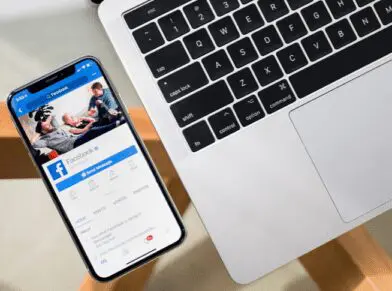




NAVIGATING EFFECTIVE PAID ADS WITH FACEBOOK’S CREATIVE COMPASS
Imagine you’re invited to a networking event. When you get there, you discover that it consists of various businesses shouting over one another. If you’ve ever attempted to increase your Facebook visibility organically, you know the feeling.
Paid Facebook ads, on the other hand, give your business a platform, acting like a microphone that airs over the loud speakers of your target audience’s personal computer.
Hoping to expand your business this year? Facebook is piloting some new diagnostic tools that promise to do just that…eventually.
Facebook’s Creative Compass
Creative Compass aims to give creatives valuable insights into the effectiveness of their ads. While currently only available to select agency partners, Facebook is planning a larger roll out for all users this year. The more you know in advance, the faster your business will be able to adopt this ad-changing technology.
The diagnostic tool was built to assess key elements including the visual aspects of an ad, how well it fits with the target audience, the brand association, and message comprehension. The end result is an easy-to-interpret scorecard that takes user behavior to a new level of understanding.
You’ll still have access to your standard click-throughs and conversions information, but they’ll be supported with additional data like a relevancy score for 13 individual categories from noticeability to CTA.
Marketers will then have the ability to update ads or create new campaigns armed with deep insights on the emotional reward users get from the ad. With this knowledge, Facebook aims to make it easier for advertisers to anticipate, understand, and increase the likelihood of a user taking action because of an ad.
Facebook Advertising Best Practices
Until the Creative Compass becomes fully available to everyone, what can you do in the meantime to bolster the effectiveness of your Facebook ads?
Glad you asked.
The best place to start is to determine your goals.Are you after more web traffic? Increased engagement on your Facebook page? More email sign-ups for your newsletter? New leads for your marketing agency? Get clear on your end goal from the beginning to structure your ad appropriately.
Some campaigns may simply be about getting more likes to your Facebook page. That’s nothing to sneeze at!
Others will send browsers to a specific page on your website, where you’ll be ready to sell them on your outstanding products or services.
Some other Facebook ad best practices include:
- Using high-quality photos that are owned by you. Avoid stock photos when you can and try to capture original images that you own the rights to.
- Creating a captivating call to action. Be it a button on your ad or a clever turn of phrase, make sure to dangle the bait in an irresistible way.
- Being selective about what you advertise. You already run the risk of users becoming tone-deaf to your ad. Save your juiciest pieces of company news, blow out sales, and heart-palpitating giveaways for your paid ads to give them extra staying power.
- Checking for typos! We shouldn’t have to say this, but we do. You also need to keep it short, sweet and focused with perfect grammar to boot. Nothing turns a potential customer off faster than a wall of words full of the wrong ‘there.’
That’s the long and the short of it. If you don’t feel like you’re a Creative Compass expert, no need to fret. We’ll show you the way.
6 WAYS TO WOW YOUR BOSS WITH LITTLE-KNOWN GOOGLE DRIVE TRICKS
We’ve come a long way since the days when one false stroke of the typewriter key would render a document unusable. Now we can access entire presentations from any device, translate them into a completely different language, and see the changes in real-time, all without ever worrying about hitting the save button.
It’s the Googleverse. We’re just living in it.
Think you know your way around Google Drive? Chances are you haven’t even scratched the surface. Ahead are a small handful of underutilized and overlooked capabilities that could reconfigure your workday. Even two or three off this list will be enough to seriously impress the boss and boost your productivity.
1. Dictate your next report.
Whether you critically injured your hand or simply want to work while you meal prep for the week, Google Docs can receive full dictation down to the last comma. Seriously. It puts Siri to shame. A quick visit to the voice-commands guide will get you up and running with fine point proficiency. Plus, it renders spell check virtually unnecessary. (Though we always recommend a final read-through.)
2. Scan and upload files.
Did you know your Android phone doubles as a scanner? Save yourself a trip to the office by taking a photo of the document you want to scan directly from Google Drive. You can later edit the PDF without ever leaving the platform (take that Adobe!). Once uploaded, simply right click on the PDF or image and it’ll open up in an editable converted Google Doc.
3. Translate documents and drawings.
International collaboration just got a whole lot easier. Google speaks hundreds of languages and can easily translate entire documents from one tongue to another save for a few minor grammatical issues. Download the translate app and you can also interpret handwritten words, phrases, or symbols.
4. Create and embed a QR code.
Whether you want to amplify your ads, supercharge your invoices, or give your events a virtual boost, QR codes are the way to go. To identify a specific user or locate important info that won’t fit in an excel-sized cell use Google’s free QR code generator. It’s a simple piece of script that only needs the specific cell you’re referencing to be added. Conversely, you can also create a QR code in other free online generators that links to a Google Doc or Spreadsheet you want coworkers or clients to have access to.
5. Host a virtual Q&A during your presentation.
Select the ‘present with audience q&a’ feature from your drop-down menu and onlookers can submit questions and comments as you go through each slide. All they need is the link which can be easily shared in advance of your presentation.
6. Enhance your suite with extensions and add-ons.
Though Google Drive may seem all-powerful we all get by with a little help from our friends. In this case, there’s an entire industry of apps, add-ons, and extensions to support your work together. One aptly-named Drive Companion creates a desktop application that can easily access files in windows that won’t disrupt your flow. Some others we like are Grammarly, which auto-magically reviews anything you write, alerting you to misspellings and possible grammar issues. We also couldn’t work from home effectively without docu-sign. It allows you to upload and virtually sign a set number of documents each month. You can even save your version and email back to the recipient all within the site.
But the fun doesn’t stop there. You could get a veritable masters degree in Google Drive with all its productive pit stops. Although, there’s something beautiful about the a la carte method, too. Really, it’s not a matter of whether Google Drive can help you navigate your workflow, but how.
Want us to lead your journey through Google Drive? There’s no app for it (yet), but feel free to make contact the old fashioned way.
SCRUB UP YOUR SOCIAL MEDIA BIOS FOR INCREASED CONVERSIONS
Social media users are a judgmental bunch. In the literal blink of an eye, they’ll subconsciously size you up based largely on your bio. How quickly are we talking? About a tenth of a second. And these first impressions can be hard to shake.
If you’ve been writing your social media bios as an afterthought, time to start treating them like the valuable pieces of real estate they are. Here are seven ways to scrub the images, copy, and links in your bios to increase your conversions and strengthen your branding.
Images
1. Use a hi-res profile image
In social media marketing, a quality profile image is critical. True, some platform’s profile pictures are super small but that doesn’t mean they’re any less important.
Your profile picture is the first place a user is likely to look when visiting you on social media, and one of the last things they’ll remember about your company.
According to one scientific study, online photo first impressions influence perception so strongly that they usually remain even after interacting with you or your brand.
When uploading your profile picture, make sure it’s free of pixelation and the same across all your other social media channels. Even for small spaces like Instagram, hi-res images or renderings of your logo or leadership work best.
2. Take advantage of your header image
Some social networks like Twitter and Facebook have header images located behind your profile picture. This is where you can give followers a snapshot of your company’s personality, products, and services, or current sales and specials. There’s really no limit to what you can do with this highly visible piece of property.
Same rules as above apply here, too. Make sure the image – be it photo or graphic – is clear, high-quality, and properly formatted to fit the space.
As for what to cover on your cover, don’t be afraid to get creative! We’ve seen clients have great success advertising the following on their header images:
- An inspirational quote from a historical figure or CEO.
- A candid photo of their team.
- New individual products or an entire line of them.
- Giveaways, networking events, industry awards.
- Seasonal greetings or work anniversaries.
- Fan acknowledgment for hitting 10K likes.
- Testimonials or reviews.
- Sales or limited time offers.
- Percentage of each sale or annual profit that goes to charity.
Pictures may be worth a thousand words, but the actual words count for a lot, too. Next up: how to make those count.
Words
1. Use keywords
What modern business isn’t interested in improving their search results? Keywords are your brand’s most direct way to convene with the search engines and increase your ranking.
Thing is, your social media bios have much stricter character limits than other pieces of content you create. So while a couple of key terms are important, your bio still needs to read as a human wrote it. As with all other mediums, keyword stuffing is a no-no.
One way to give your social bio keywords extra staying power is to include your location. For instance, it’s no accident our Instagram reads, “Digital marketing agency in Addison, Texas.” It’s a great way to introduce yourself to local potential customers.
2. Develop your bios
Your bio is born from concise copy that tells social media users: who you are, what you do, your contact info, your USP (unique selling proposition), how you can help them, and what you want them to do (your CTA).
Tools like Bio Gen — bio generator for social networks and Designer Bio Generator™ can help you get a skeleton bio pulled together, but you may want to add some personal flare to help with the overall impact.
3. Include CTAs
Speaking of CTAs, it’s great if your profiles have their own specific calls that change and correspond to different marketing initiatives throughout the year.
Some of our favorite galvanizing CTAs include:
- Expressing what you want: “Click the link in our bio for a free consultation”
- Asking for shares: “Tag us + #brandedhashtag to be featured”
- Promoting sales: “Shop our Summer sale”
- Highlighting a contest: “Caption this photo for your chance to win!”
Now that you’ve asked them what to do, time to tell them where to go!
Links
1. Utilize different links for different marketing goals
Many companies simply link to their website. Be it a specific landing page like your contact page or one you’ve created for incoming social media visitors, remember to keep the link updated in your social profile. You can even use a UTM code or bit.ly link to help you track the number of visitors you’re getting from your social media profiles.
Other popular links include:
- Updates about product launches.
- Email sign-ups for webinars.
- Articles written about your business or your latest YouTube video.
- Event registration pages for speaking engagements or networking events.
2. Offer promo codes
Followers always appreciate a little extra incentive to take them from socializing to making a sale. If your budget allows for it, consider including a small promotional code in your bio. These types of online coupon codes are known conversion drivers. Bonus: they also double as conversion trackers! Just make sure to create a unique code for each of your profiles so you can more accurately account for the increased traffic.
Take it from us, your bio is the beginning of your relationship with your followers. Make sure it starts off on a good foot with the best possible social media bio.
Want a social media professional to take a stab at your bios? Just say the word?
SOCIAL POSTING: WHAT’S TOO MUCH AND WHAT’S TOO LITTLE?
Posting on social media takes Goldilocks-like sensibilities. No, we’re not suggesting that your social media strategy is child’s play. In fact, having a well-developed social media presence is a critical part of running a successful business in the digital age.
Instead, what social media experts prescribe is a not-too-much, not-too-little approach to running your social channels.

So how do you achieve that “just right” sweet spot when posting on social media? That’s what we’re about to unpack.
General Rules for Posting on Social Media
Every business is different. In fact, let’s make that rule #1. Keep it in mind as you continue reading.
What do we mean by that?
Start with these tips and times as a baseline, but make sure you’re checking your insights and analytics regularly to see how your particular audience compares. Make adjustments so you’re posting the right kinds of content when they’re most active
The next two rules may seem obvious. But they’re worth repeating.
1. Post consistently. The more consistently you post, the less the frequency matters. That may sound like a bold statement to make in a post that’s all about how often you should post on social media, but we stand by it. Why? Because the absolute worst thing you can do is give your social media followers the silent treatment. It’s the equivalent of ghosting. Better to post at a pace you can actually manage without burnout.
2. Make sure your content is high quality. Again, posting too much won’t be an issue if the content you’re sharing is truly high quality. The more engaging your social media posts are the more likely your followers are to take notice.
How Often to Post Per Platform
Before we launch into the specifics of how often to post on different social media channels, we’d like to take an opportunity to give some sage advice.
Don’t try to be a star on each one.
Your audience is likely to be more active and engaged on one of two platforms. Put your effort there.
That’s not to say you can’t or shouldn’t have a profile on each of the five major players. (You absolutely should.) However with your limited marketing resources we recommend focusing on one or two or hiring a digital marketing agency to post for you.
Here’s how often to post on each of the most popular social media sites:
- Facebook: HubSpot recommends posting on the king of all social media platforms 1-2 times per day. Of course, some of that depends on the size of your follower count. Typically, oversaturating them with content will cause your Facebook audience to tune you out, hide your posts, or worse, give you the old unfollow.
- Twitter: Life moves fast on this microblogging platform. Most experts say posting between 5-10 times a day is the best way to get in front of the majority of your audience. Check your analytics to see when you have the most eyes on your posts and try to spread them out accordingly.
- Pinterest: The social media buffs at Buffer recommend posting on Pinterest up to 30 times a day. If that sounds like a lot to you, start small. Once you get in the habit of posting 5-10 pins a day you can work your way up for more exposure.
- LinkedIn: By their own admission daily posting on LinkedIn tends to yield the best results. Remember to keep the content business professional – think case studies, industry news, company milestones, etc.
- Instagram: Posting to your feed 1-2 times per day is best for the ‘gram. If you have additional content to share, consider making updates to your stories to keep from overwhelming your followers.
When it comes to social media, you don’t want to seem like you’re yelling or whispering. Talking in a consistent, conversational tone will help you keep a pace that encourages all variety of Goldilocks type followers to hang on your every word.
Want us to do the posting for you? Let’s chat!
ONLINE REPUTATION MANAGEMENT ESSENTIALS FOR SEO AND SOCIAL MEDIA
What do your customers think of you? If you’re at all unclear or otherwise uncomfortable with the answer, your business could be suffering because of it.
Fortunately, there is a proactive way you can take part in the conversation: Online Reputation Management (ORM).
It’s a strategy that generally involves actively engaging with both the material in Google search engine results page (SERP) and online reviews/feedback about your brand. Just how important is your online reputation management strategy?
According to BrightLocal, “85% of consumers trust online reviews as much as personal recommendations.”
So, how do you shape your online reputation management through SEO and social? Get your crash course up ahead.
The Big 4
When it comes to ORM, there are four major players. A complete online reputation management strategy will, at a minimum, involve these four digital marketing channels.
· Media mentions
· Paid media
· Social media
· Your domains
Let’s start from the beginning.
Sometimes you get lucky and a big (or small) media outlet drops your brand’s name in an article. That’s great! In the biz, we call this earned media. Because of its ability to positively and immediately impact your rank, it is among the most highly coveted of all ORM efforts. Some companies find that working with a public relations or digital marketing firm can help them secure more of these valuable placements.
More and more, businesses are turning to paid media in the form of PPC campaigns and sponsored posts on social media and influencer accounts. It’s a great way to get your name out there, but then it’s up to you to continue growing and forging those new relationships.
Don’t neglect your social media accounts either. They’re a direct reflection of your brand and implore potential customers to interact with you online. As a general rule: the more actively you monitor them and engage with your audience, the more effective they’ll be.
Finally, whether you’re focused on your website(s) or blogging platform(s), realize that they’re pillars of building a strong online presence. You have control. Use it wisely.
Online Reputation Management Tools
Now that you know where to focus your efforts, let’s shift gears to how you can successfully gauge the effectiveness of those efforts.
Google Alerts is a great place to start.
If you do nothing else, at least set up an alert so you know when anyone publishes content that mentions your brand. You can use the same function to keep tabs on your competitors as well as relevant current events or news as it relates to your industry.
Quick pro tip: Make a note of any especially active journalists or bloggers who might be interested in receiving a pitch about your products or services!
Setting up the alert is easy.
Simply pick your keyword(s) and populate the frequency of email notifications you wish to receive. If you have a preference about which type of content you get sent (blogs, videos, news sites, etc) you can add those specifications, too. If you’re trying to improve your local SEO or reputation there’s also a field for you to specify your geographic location.
It’s a free solution that ensures you never miss an opportunity to re-post the nice things being said about you or respond when the feedback isn’t so great.
Other ORM tools we like include:
· Social mention – a social media monitoring tool.
· SentiOne – for insights about what people are saying about your brand.
· Reputology – a review management platform that lets you monitor reviews for each individual location of your business.
· Meltwater – a media monitoring tool that helps you do far more than organize your press clippings.
Ready to take your reputation into your own hands? You don’t have to go it alone. Let us help put your good name on everyone’s lips! Start chatting with an account specialist here.
HOW TO SECURE SOCIAL MEDIA BRAND AMBASSADORS
Brand ambassadorship is the new celebrity endorsement. Today’s social media influencers are the movie stars of the internet, and with thousands or millions of followers hanging on their every post, they’re a potent marketing outlet.
You may have many reasons for aligning your business with a social media brand ambassador. Perhaps you’re looking to increase your sales. Maybe your branding strategy is all about boosting brand recognition among millennials.
In any event, joining forces with social media influencers and ambassadors can elevate your brand awareness and boost your reputation as well as your bottom line. But first, you have to secure them. Here’s how.
Types of Social Media Brand Ambassadors
Brand ambassadors are creatives who post content that elevates your brand. Be it in videos, a mention in their stories, review of your product, or promotion, the goal is to get more eyes on your brand and help you tap new segments of your target audience.
For the purposes of this piece we’ll cover two main types.
The first is known as a social media influencer. These are typically users who have collected an impressive number of followers. In recent years, influencer marketing has become big business, and it can be easy to be dazzled by large follower counts.
The truth is, almost anyone can be a brand ambassador. That is, so long as they’re actively engaging with your target audience (and vice versa). Don’t underestimate the power of a small but captivated audience.
Which brings us to our next type of ambassador: your employees.
Think about it. You have this arsenal of people who are already loyal to your brand. Most of them come with a well-established audience of followers who are already invested in the content they share. If you’re not already leveraging your employees as brand ambassadors you’re missing out on a huge untapped market.
How to On-Board Brand Ambassadors
Ok, we promised you a how-to and we aim to deliver.
Before making the ask you’ll want to review their follower demographics and make sure they match your specified target audience. If all seems like a fit, reach out online or via email.
Once on board you’ll want to make sure they’re genuinely excited about your brand and give them as much context as possible. This means background about your company, your core values, campaign goals, product specifics, etc. The more familiar they are the better.
You also need to make sure you discuss in detail how they’ll represent your brand. Have a contract in place that specifies the duration or number of posts with a clause that you’ll reexamine your working relationship after reviewing the results of the campaign. Also, state any content they post is subject to approval and designate an individual on your team to give the all clear.
When working with employee brand ambassadors it works a little different.
Sure, you could just throw out a blanketed catch all requesting employees to share about an achievement or company update. However, you’ll be much more effective if you:
1. Make a direct request.
Keep a close eye on your staff to determine which have the most outgoing, gregarious personalities. They’re likely to have a similar social media presence. The more seen you make them feel, the more likely they are to want to share on behalf of the brand.
2. Incentivize your employees.
A little employee recognition can go a long way. Staying attuned to their needs at and outside work can help increase their advocacy. Whether you’re inspiring via friendly competition or everyone’s favorite, paid time off, be sure to compensate and recognize their efforts.
3. Create company–wide hashtags.
The more clever and creative they are, the more likely your employees are to use them.
4. Invite their feedback.
Everyone likes to feel seen and heard. Let your employees know you want their buy-in by inviting their feedback. You may be surprised to hear new channel recommendations or marketing ideas that you hadn’t previously thought of!
Remember, the goal of any effective social media partnership is to build an enthusiastic community that actively engages with your brand. Influencers and ambassadors are like a direct line to potential customers. Approach them right and you’ll all but secure more sales for your brand.
Want us to sweet-talk them for you? Simply make contact.
8 ADVANTAGES OF OUTSOURCING DIGITAL CONTENT MARKETING TO THE PROS
In business, some departments are mission critical. At a minimum, you need a leader to make the decisions and an accounts payable principle to send out checks each week. (Because let’s face it, no matter how nicely you ask them, no one’s going to work for free.) A sales team is great for making sure money continues to come in, but without the right collateral, they could fall short.
This brings us to the age-old question: is marketing considered essential? We say emphatically, yes! But just because you need it, doesn’t mean you need it in-house. In fact, marketing is one of the easiest tasks to outsource.
Here’s what business savvy brands have to gain by doing so.
1. A new vantage point can widen your reach.
Though it makes sense to do business with a digital marketing agency that knows your industry, getting a fresh perspective could be a big boon for your business. As an outsider, the view from where they’re sitting could look drastically different from yours. This allows them to zero in on untapped markets and design compelling content that targets new potential customers. While your core consumers may not change, they can help pivot your messaging to appeal to wider audiences.
2. Work won’t halt because of the holidays.
What happens when a flu bug threatens to take down your small staff? How do you handle a holiday mass exodus? When you outsource your digital marketing to an agency, you don’t have to worry about any of the above. They work year-round to keep your content continuous. This means staying top of the charts, never letting your SERP suffer due to sickness or season. Your blog posts will keep your keyword strategy strong, and your social content will elicit eyeballs to your brand.
3. You don’t have to keep up with every SEO update.
500-600. That’s the number of algorithm updates Google implements each year! Do you have the fungible funds to pay someone to watch for, learn, and teach everyone about the roughly two changes a day? No?! A digital agency is a good alternative. It’s their job to stay on top of – and master – updates, both major and minor.
4. Save money while increasing your output.
Salary aside, employees are expensive. Insurance premiums alone can increase into double-digit percentages year over year. Not to mention the obligatory cost of living raises instated by most companies. To stay competitive, many business are also finding that on site amenities up to and including snacks or standing desks are the best, if only, way to hire competitively. By contrast, working with a digital marketing agency can save you big compared to the cost of bringing on an in-house entry-level marketing pro. You usually pay a monthly retainer, but only for the services you request, not the benefits.
5. You won’t have to manage your marketers.
With an outside agency, you’ll be in constant contact, but it won’t be because you’re micro managing. Focus on building a strong internal team without having to expend energy onboarding, even as you expand.
6. Drastically cut your turnaround time.
No matter how strong her work ethic, a one-woman department simply can’t keep pace with an entire agency. She might be lucky if she can turn out a well-written blog post and a few social media snippets between meetings. Hire an external marketing team and complete complex campaigns in a fraction of the time.
7. Expand your content marketing creations.
You know that complex campaign you just launched? If you contracted with a digital ad agency it’s likely to have all the bells and whistles. We mean everything – from clickable PPC ads and viral social media posts to HD video ops and strategically placed PR articles. Agencies are more likely to have experts in every communications channel and can send your marketing collateral skipping across every single one of them.
8. Focus on nurturing leads, not generating them.
Finally, digital marketing agencies help you build your brand so you can concentrate on building your business. They’ll free you up to take your leads down the sales funnel and all the way to the bank.
So what do you say – are you in to outsource? We’re all hands on deck.
EFFECTIVE WAYS TO IMPROVE YOUR WEBSITE IN 15 MINUTES
You know the feeling. You really want to get in shape, but getting started is just. so. hard. However, every day you put it off is another step further away from your end goal. In all reality, a little bit of time each day and a lot of discipline can be truly transformational.
The same can be said of your site’s SEO. You don’t need to be an SEO expert to help your website perform like it’s optimized by one. In fact, you really only need about 15 minutes of daily maintenance to keep your site performing at full tilt.
Don’t believe us? Below are some high-impact SEO changes that can increase your website traffic in about 15 minutes a day.
Start with a Website Audit
When was the last time you evaluated your website’s SEO? If it’s been more than a year (or worse, never) time to crack the whip.
There are free online tools that can give you a general idea of what you’re up against. However, hiring a digital marketing agency to perform a SEO audit for you is bar-none one of the best investments you can make for your business.
If auditing yourself, here are four areas you’ll want to pay close attention to:
- Your meta tags and meta descriptions
- The keywords you rank for
- The content on each page
- Your site speed
Quickly Optimize your Site
Ok, so you know where to put your focus. Let’s get down to brass tacks so you can improve your Google ranking and grow your brand.
First, read over your meta descriptions and titles. These are what the search engines use to determine what the content on your site is about. It’s also what users will read before deciding whether to click on your site or not. Remember that your meta’s should be keyword-driven, no more than 160 characters, and grammatically perfect.
Next, make a list of the keywords you’re currently ranking for. Beside it, make a list of the keywords you’d like to rank for. Make sure any new content you’re generating on your site aligns with each of these words and phrases.
Which brings us to step 3, your site’s content. Typically, the more copy you have on each page, the better the search engines will be able to crawl and recommend your site in searches. We tell our clients to come up with about 300 well-written words per page, even the ones that don’t seem like they need a lot of explaining. Bonus points if the content is organized by sub-headings!
Not a wordsmith? This is a time it really pays to hire a copywriter. The more polished your content the more effective your website will be.
Finally, there’s the matter of your site speed – specifically, the speed of your mobile site. You can test your website for free at Think With Google. However, desktop speeds aren’t altogether unimportant. If you want to check both in one go, try the Google Developer site for Page Speed Insights. After it scores your site, it’ll also furnish concrete ways you can improve your SEO and load time.
Remember that just like exercising, small adjustments in your daily routine can accumulate to big, lucrative changes down the line. Apply this logic to your site’s SEO and you’ll be staring down a first-page ranking faster than you can say “Globe Runner.”
And of course, if you want to simply leave it in our capable hands – just say the word!
SPRING CLEAN YOUR WEBSITE IN 5 STEPS
What do you immediately think of when you hear the word “Spring”? Flowers? Thunderstorms? Cleaning? If you’re like us, it’s the latter.
We find Spring to be the perfect time to get our digital ducks in a row. We’re no Marie Kondo, but we’re all about helping clients put their most polished, organized foot forward, too. That often starts with a site audit and subsequent cleanup.
Make sure your website is in full bloom. These five simple steps will showcase the best your site has to offer this season…and beyond.
1. Start with the home front (page).
The most logical place to start is at the beginning. In this case, it’s your website’s homepage. As the most visited page on your site, its ability to make or break your brand cannot be overstated.
Done right, your homepage is an effective sales tool that can help grow your business by leaps and bounds. And when you only have about 15 seconds to get it right, it pays to pay attention.
The single most prevalent layout we see is a scrolling homepage – and for good reason. It gives visitors the opportunity to learn more about your brand without having to click around. It’s also an ideal design for your mobile site. The receptivity among browsers proves that scrolling layouts are simple, easy, and aesthetically pleasing.
2. Update your copy.
Whether you’re switching to a scrolling site or updating one, you’ll want to give your copy a refresher. It’s an effective way to increase your SEO and improve your search ranking. Plus, a lot can happen in a year. Make sure you’re adding any new press you’ve gotten or awards you’ve been given.
3. Upload video content.
Interactive content can be a nice brain break for site visitors. Many sites accomplish this by incorporating video content like GIFs into their landing pages.
Some estimates suggest doing so can increase your conversion rates by 80% or more! Whether you’re showing off products or people on your team, this kind of visual content is captivating and a nice change of pace from the wall of words they’re confronted with on most other sites.
Just make sure to loop video clips to about 5 seconds. It’ll cut back on your load time while helping them appear longer than they really are.
4. Check your links.
Broken links are just plain unprofessional. But if your web host changes its code often (cough, cough WordPress) then the links and content you currently have could stop working without warning.
The best way to catch, and fix, broken or outdated links is to do an annual check.
5. Revisit your titles and tags.
Algorithm changes. They impact us all, but they don’t have to become a source of worry.
No matter which flavor of the week the search engines are prioritizing, some content is a necessary evergreen that may require a bit of pruning.
At a minimum, you should use this Spring to revisit and refresh your:
- Title tags
- Meta keywords
- H-tags
Though browsers may remain wholly unaware, this labor of love is what ultimately marries their search queries with your brand.
As a Dallas digital marketing agency, we’ll take any opportunity to organize our online presence and suggest you do the same this spring.
Need a hand cleaning up? Let us help your site shine.
- « Previous Page
- 1
- …
- 7
- 8
- 9
- 10
- 11
- …
- 44
- Next Page »