
















Get Ready for Search Generative Experience: How AI is Revolutionizing Online Discovery
Search engines are our guides through the massive digital library that is the internet. But as technology keeps changing, the way we use search engines is changing too. Enter the search generative experience, a whole new way to find information.
Search generative experience (SGE) is all about natural language and context. It’s like having a conversation with your search engine, asking questions and getting answers that fit what you really need. Think voice search and chatbots – that’s the kind of interaction we’re moving towards.
This shift in how we search has a big impact on search engines themselves, on how websites get ranked, and on the entire world of online marketing. Below, we’ll dive into the SGE and see how it’s shaping the future of search and how businesses can be found online
What is Search Generative Experience (SGE)?
Imagine a search engine that doesn’t just return links, but delivers insightful summaries, anticipates your next questions, and even surfaces hidden connections within web pages. That’s the power of SGE. By employing AI, SGE can:
Provide AI-powered overviews: SGE condenses web pages into easy-to-digest summaries, highlighting key points and offering different perspectives.
Answer questions directly: No more clicking all those links and combing through web pages! SGE can answer your questions by analyzing the content of a webpage and providing you with the relevant section.
Suggest next steps: Stuck on a task? SGE can analyze your search intent and recommend helpful actions or further exploration paths.
Search Engines: Adapting to the Conversational Paradigm
With more people using voice search and chatting with their devices, search engines are changing the way they work. Here’s how this works:
Better Understand Queries: Search engines are now using technologies like natural language processing (NLP) to decode your meaning and context, beyond the keywords you type. This means they can return better results even if your search isn’t worded perfectly.
Provide Richer Results: Results like “featured snippets” give you quick answers right on the search results page plus images, videos, and other rich results.
So, what does this mean for businesses trying to get noticed online? They must adapt! It’s all about creating content that’s helpful, relevant, and speaks to what users are really looking for.
Search Engine Optimization: Shifting Towards Intent-Based Optimization
The way people search online is changing, and SEO has to keep up. Here’s the deal:
People are talking, not typing: Gone are the days of perfect keywords. Now, people search how they talk, using natural language. SEO needs to focus on understanding what users really mean, not just the exact words they type.
Content with a purpose: Just shoving keywords onto a page isn’t enough. High-quality content that directly answers users’ questions and solves their problems is key. Think of it as a conversation – you want to provide value and be helpful.
Structure is essential: Structured data markup is like a cheat sheet for search engines. It helps them understand what your content is about, making it easier for them to show it to the right people.
Local emphasis: Voice search is booming, and people are asking for businesses nearby. Local SEO is crucial, so optimize your website and listings for local searches, and don’t forget to collect those positive reviews!
Digital Marketing: Embracing the Conversational User Experience
The way people search online is getting more like a chat with a friend, and that’s changing digital marketing. Here’s what you need to know:
- Delivering the goods: Decipher what users are trying to achieve and create content that solves their problems.
- Embrace chatbots: Conversational AI and chatbots can answer questions, recommend products, and guide users through your website – all in a natural, back-and-forth way.f
- Speak their language: Voice search is on the rise, so make sure your content is optimized for how people talk, not just how they type. Think FAQs, long-tail keywords, and using natural language.
Basically, search is becoming a conversation. By understanding user intent and creating engaging content that speaks their language, digital marketers can stay ahead of the curve.
How will SGE change how people find businesses?
SGE empowers users with a deeper understanding of search results. This means:
Increased focus on value: With SGE, users can quickly assess if a webpage offers the information they need. This puts the onus on businesses to create high-quality content that truly addresses user queries.
Discovery of niche content: SGE can help users unearth valuable content buried within webpages. This presents an opportunity for businesses to ensure their in-depth content is discoverable.
Conversational search: SGE paves the way for a more conversational search experience. Businesses should optimize their content for natural language queries, not just keywords.
What can businesses do to prepare for SGE?
The future of search is all about user experience. Here’s how to ensure your business thrives in the age of SGE:
- Focus on high-quality, informative content: Create content that goes beyond basic information and offers genuine value to your audience.
- Optimize for diverse perspectives: SGE surfaces different viewpoints. Ensure your content considers various aspects of your offerings.
- Structure your website for clarity: Make it easy for SGE to understand your content by using clear headings, logical organization, and relevant keywords.
- Embrace conversational language: Write content that sounds natural and anticipates the questions users might ask.
By understanding and adapting to SGE, businesses can position themselves for success in the evolving search landscape. The future of search is about providing value, and businesses that prioritize user experience will be the ones users discover first.
The digital marketing experts at Globe Runner can help your business adapt to the changing online landscape by optimizing your website for SGE and conversational search. To learn more, contact us today.
Understanding and Leveraging SEO Metrics for Business Growth
If you have a website, you may have invested in search engine optimization (SEO). Although the process can take a few months to show results, it has a successful track record of generating increased web traffic and attracting inbound leads. It also holds an edge over other growth tactics due to its affordability.
A 2022 Statista survey found that 59% of respondents reported an increased ROI on SEO in 2022. Fittingly, Hubspot’s ‘The State of Marketing’ survey reports that 88% of marketers who utilize SEO plan to maintain or increase their investment in 2023.
The question is: How do you know your SEO tactics are paying off? And what must you do to further optimize them?
That’s where SEO metrics come in. Tracking the most important SEO metrics can get you the best out of your marketing efforts. In this blog, we dive into the world of SEO metrics and explore how to leverage them to boost business growth.
Understanding the Basics of SEO Metrics
Before we get into harnessing the power of tracking and analyzing SEO performance metrics effectively, let’s first define the term.
What are SEO Metrics?
When potential customers search for keywords related to your business, search engine results pages (SERPs) display the most relevant results. SEO is the process of improving the visibility and ranking of your website in SERPs. Websites that are higher up on SERPs attract more web traffic, leads, and, ultimately, sales.
Common SEO strategies include using relevant keywords throughout your website, building backlinks, and improving your website’s performance.
Measuring the effectiveness of SEO strategies involves looking at quantifiable data points that relate to your website’s rankings, traffic, and overall online visibility. SEO metrics include organic search traffic data, click-through rate (CTR), conversion rate, bounce rate, and keyword rankings, among many others – something WordPress SEO experts can help with!
Take ‘average session duration,’ for instance. It shows the average time visitors spend on your website, platform, or app during a single session. Longer sessions would mean users are finding your content valuable and engaging, while shorter sessions might indicate the need to improve content quality, website navigability, or design aesthetics.
Paying close attention to SEO metrics allows you to make informed decisions about your website and its content. Not doing so can lead to lost opportunities and compromise the impact of your marketing efforts.
The Necessity of Tracking SEO Metrics
SEO metrics are a direct reflection of a website’s performance and discoverability. Metrics such as organic traffic and keyword rankings directly tell you how well a website is positioned in search engine results. A well-optimized website will perform better and attract a larger and more engaged audience.
Paying close attention to the right SEO metrics helps you spot serious issues such as improper indexing and robot.txt file misconfigurations.
Improper indexing occurs when search engines cannot crawl and index a website’s pages correctly. This can happen due to errors in the robots.txt file, the improper use of no-index tags on individual pages, or other technical issues.
Robot.txt files tell search engine bots which pages on a website they should and shouldn’t crawl. If a robot.txt file is misconfigured, it can block search engine bots from accessing important pages on your website.
You can help spot these issues by monitoring:
- Sudden drops in organic search traffic.
- Indexed page data, which shows how many of your website’s pages are indexed by search engines.
- Index coverage error data, which shows you any errors that search engines are encountering when trying to crawl and index your website
Addressing these issues promptly and effectively lets you optimize traffic to your website traffic.
A common SEO mistake website owners often make is focusing on vanity metrics that may look impressive at first glance but do little to boost organic traffic or conversions. A sudden and inexplicable increase in website traffic, for instance, shouldn’t be enough to satisfy you. You must find out why this increase has happened and whether it is leading to more conversions.
Keyword rankings, similarly, are extremely useful, but only as long as you’re paying equal attention to keyword relevance. Having a great average keyword rank doesn’t mean much if the keywords aren’t relevant to your industry, products, or services.
The Most Important SEO Metrics for Online Success
With the preceding in mind, let’s now delve into the most important SEO performance metrics you should be actively looking at. Along with each metric, we’ll also give you in-depth explanations and tips on how to leverage them effectively.
Traffic Source-Related Metrics
Let’s start by understanding the sources of your website traffic. You’ll often come across four main categories: direct, organic, referral, and social traffic.
Organic traffic is considered the cornerstone of SEO metrics. It represents the total number of visitors who find your website through search engines: these users discover your website by entering search queries and clicking on organic search results. These users are actively seeking the type of content your website offers.
It’s not easy to make it to the front page of search results, which is why organic search metrics are very significant. Keep in mind that only 0.63% of searchers click on results beyond the top 10 on Google. High organic traffic is an indication search engines find your website to be a credible authority.
Optimizing your website for organic search can have a significant impact on your business. An experienced agency like Globe Runner can help you create impactful websites that are optimized for SEO and attract organic traffic.
Other types of traffic include direct traffic, which comes from visitors who directly type in your website’s URL because they are already familiar with your brand.
Referral traffic originates from other online sources that link to your site, while social traffic refers to traffic from users clicking links to your website from social media platforms.
Understanding these sources of online traffic will help you use resources more effectively, optimize your marketing campaigns, and target the right audience on the most relevant platforms.
Use these tips when analyzing and interpreting website traffic data:
- Use tools like Google Analytics to track the number of visitors, traffic sources, and other important SEO metrics like average time on page and conversion rates.
- When you look at traffic trends over time, you should be able to identify spikes or drops in traffic and correlate them with specific changes made to your website or brand. Examples include the unveiling of a new website, adding new products, updating content, or implementing a new marketing campaign.
- Armed with this data, analyze it to glean demographic information, insights into user behavior, and other information that can be used to shape future website changes, content additions, and marketing strategies.
Keyword Ranking Metrics
Keyword ranking metrics identify your website’s position on the SERP for specific keywords or queries. The higher your website ranks, the more likely it is to be seen and to generate organic traffic.
Maintaining and improving SEO ranking metrics like keyword ranking is critical for a robust online presence.
Here are three reasons why:
- Visibility: As we’ve mentioned, good rankings on the SERPs for your important keywords makes your website visible to relevant audiences. The trick is to rank well consistently. Just a single top ranking won’t achieve the results you want over time.
- Competitive Advantage: Everyone is fighting for a piece of the limited market in every sector. Ranking highly for common, relevant keywords gives you a huge edge over competitors as you start to become perceived as a more noted brand.
- Customer Trust: When consumers search for a product or service online, they are more likely to trust the businesses that appear at the top of search results. By increasing your keyword ranking, you can build credibility and attract more customers to your business.
User Engagement Metrics
SEO metrics that fall under the bracket of user engagement reflect how visitors are engaging with your website.
The bounce rate is the percentage of visitors who land on a webpage and leave without interacting further or visiting other pages. If your bounce rate is high, it generally means users were interested enough to visit your website but didn’t find the content engaging or relevant enough to stick around.
Average session duration is the average time a user spends on your website during a single session, while the pages-per-session metric refers to the average number of pages a user views during a single session. Analyzing these two metrics can help you find the pages and content on your website that are most relevant to your audience.
Perhaps the most important SEO performance metric related to user engagement is the organic click-through rate. CTR measures the percentage of users who click on your website’s link in search engine results. It is a direct reflection of how compelling your website looks on the search results page compared to others.
An analysis of 4 million Google search results found that, while a CTR above 3% is considered good, being at the very top of the SERP is where you really want to be. This analysis shows that the top three places on the SERP generate CTRs of 39.8%, 18.7%, and 10.2% respectively.
Here are some tips to optimize your website’s organic click-through rate.
- Write powerful, compelling titles and meta descriptions that accurately represent your content and appeal to users’ search intent. Also, include relevant keywords and calls to action.
- Use A/B testing to compare the effectiveness of different title tags and meta descriptions and identify those that produce a higher CTR.
- Implement structured data markup (standardized formatting that classifies content into types for search engines) to enhance your listings with additional information like ratings, reviews, or product availability.
Don’t have time to do user engagement optimization on your own? Globe Runner can help boost your SEO efforts using a range of effective strategies.
Conversion Metrics
A conversion is a specific action you want users to take on your website. Common types of conversions include making a purchase, signing up for a newsletter, filling out a contact form, downloading a resource, or requesting a quote.
Landing Pages
Landing pages are a mighty ally in your journey to increase conversions. The first impression users have when they arrive from search engine results, landing pages are where your conversions will take place and should therefore be designed to captivate and engage.
Landing pages must also closely align with what a user has searched for. If your landing page isn’t relevant to the visitor’s search, they will go elsewhere. Landing pages should also feature a compelling call to action (CTA) that guides users toward the desired action. Effective landing pages are designed to minimize distractions, show only the most relevant information, and achieve conversions!
Landing Page Optimization
There are several techniques you can use to optimize a landing page to achieve better SEO performance metrics. These include incorporating relevant keywords across the landing page, optimizing page load speeds, ensuring landing pages are mobile responsive, A/B testing variations of different elements, and providing better quality content.
Landing page conversion metrics track the effectiveness of your landing page and help you figure out your cost-per-lead.
Tools like Google Analytics or Adobe Analytics can help you analyze data regarding the number of conversions and their sources to identify bottlenecks in customer journeys. Correctly identifying the source of conversions can be difficult sometimes because there may be multiple touchpoints with a consumer before a sale.
Most analytics tracking tools use a last-touch attribution model that gives the final touchpoint in the process the ‘credit’ for the conversion. A multi-touch attribution model aims to identify each of the different interactions a customer makes on their journey to a conversion.
Ensuring Optimal Performance with Strategic SEO Metrics Analysis
As you can see, there are dozens of SEO metrics to keep track of and analyze in your efforts to achieve online success. Here’s what you need to focus on to ensure optimal performance in that effort.
Routine Analysis and Adaptation
Analyzing SEO metrics regularly is the equivalent of doing health checkups on your website. Keep your eyes on the data to make sure everything is alive and thriving.
Undertaking regular SEO metric analysis also keeps you updated with changes or updates to search engine algorithms. User behavior, similarly, tends to change frequently and regular analysis is an absolute must to keep your content fresh and competitive.
Start by setting up specific and measurable goals. For example, increasing organic traffic by 20% or improving the CTR for a particular keyword by 10%. Next, use tools to track and monitor your metrics. With the data this process generates, you can analyze trends to identify areas of improvement.
You must also audit your website regularly for technical issues, something that comes under the scope of technical SEO.
SEO Tools and Platforms
We’ve already mentioned a few tools and platforms you can use to monitor SEO metrics. Let’s now dig a little deeper to see what they are and why they’re such a valuable part of your digital toolkit.
Here are some handy tools you can use for SEO analysis:
1. Google Analytics: Use it to track user behavior, traffic sources, conversion rates, and more.
2. Ahrefs: Known for its robust backlink analysis, Ahrefs also offers keyword research, competitor analysis, and rank-tracking features.
3. SEMrush: SEMrush provides insights into organic and paid search, backlink analysis, keyword research, and competitive analysis.
4. Moz: With a suite of SEO tools that include Moz Pro, this software provides keyword research, site audits, rank tracking, and link analysis.
5. Screaming Frog SEO Spider: This is a website crawling tool that provides in-depth technical SEO analysis. It identifies issues like broken links, duplicate content, and page speed problems.
6. Google Search Console: This free tool offers insights into how Google views your website. It provides data on indexing, keyword performance, and technical issues.
Making SEO Metrics Work for Your Business
Understanding, tracking, and analyzing the most important SEO metrics makes the difference between a website languishing in obscurity and one that’s thriving in the limelight.
Make sure your SEO strategy is informed by as much data and analysis as you can! If you’ve taken on the help of a marketing agency, a bonus of paying close attention to your SEO metrics is that they serve as proof of results. It’s essentially a comprehensive measure of your agency’s efforts and effectiveness.
By harnessing the power of SEO metrics, you can shape effective SEO strategies, improve your website’s performance, and ensure accountability in your marketing efforts. Don’t miss out on the opportunity to elevate your online presence and drive business growth through SEO metrics.
Globe Runner is here to simplify and optimize your marketing efforts. We provide a full suite of services from SEO and website development to paid media and content marketing. We’re a tried and tested solution with proven results.
Contact Globe Runner today for a no-obligation quote on our full suite of SEO services.
Website Design and SEO: How Design Impacts Your Search Rankings
Imagine you’re searching for a product or service online, and you click on a website that takes forever to load, has a cluttered layout, and is not the easiest to navigate. Frustrating, right?
Such experiences not only drive you away but also leave a lasting impact on your perception of the brand. This scenario underscores the critical role of website design in determining user experiences and, ultimately, search engine rankings.
A well-crafted website is a powerful tool that can influence your SEO traffic and enhance conversion rates. As the online gateway to your business, your website’s design should seamlessly align with your business goals, product offerings, and service structure to create an immersive and meaningful experience for visitors.
The Intersection of Design and Search Engine Rankings
The realm of website design is not confined merely to aesthetics and visual appeal. It’s intricately linked to your website’s performance and its ability to drive success.
A staggering 75% of a company’s credibility can hinge on its website design, underscoring the critical role it plays in shaping user perception and building trust. The significance of website design’s impact on user engagement cannot be overstated. And a site’s ability to engage users is an important SEO ranking factor.
Another factor that influences search engine rankings is speed. Research shows that 40% of users are liable to abandon a website that takes more than three seconds to load. Impressions are formed quickly in the digital realm, with visitors taking less than 50 milliseconds to decide if a website resonates with them.
When millions of websites are vying for attention, a site’s optimization for search determines how high it shows up in the results. SEO is what sets the best apart from the rest and web design plays a critically important role here.
Understanding the Basics of SEO
SEO is the backbone of online success, determining how easily your website is discovered by users searching for relevant content. Increased visibility translates to higher organic traffic, which is crucial for attracting potential customers and driving conversions.
Defining SEO and its Significance
SEO includes a set of smart methods to improve your website’s position in search engine results. When keywords related to your business are searched, you want your site to show up among the top results. This brings more traffic to your website which means more chances for business growth. SEO is not only about driving traffic but also about attracting the right kind of traffic—users who are actively seeking the products or services your business offers.
Explaining Key Elements of SEO
Several essential elements contribute to effective SEO, including keywords, backlinks, and user experience.
- Including keywords in your website’s content helps search engines figure out what your pages are about.
- Backlinks, or inbound links, are links from other websites that point to yours. High-quality backlinks from trustworthy sources tell search engines that your content is useful and reliable.
- User experience encompasses multiple aspects of your website’s design, functionality, and ease of use, all of which impact how visitors interact with your site, how long they stay, and whether or not they come back.
We’ll discuss other important elements of SEO later in the article.
The Role of Website Design in Optimization
Website design plays a significant role in optimizing for these key SEO ranking factors. An intelligently designed website facilitates smooth navigation, making it easier to explore and understand your content. Properly organized menus, clear calls-to-action, and intuitive layouts enhance user experience, leading to longer session lengths and lower bounce rates. An aesthetically pleasing and responsive design also enhances user engagement, encouraging visitors to explore more pages and interact with your content, all of which contribute to improved SEO performance.
The Connection Between Website Design and SEO
Beyond being visually appealing, your website’s design directly influences its search engine ranking and user engagement. Businesses can unlock the true potential of their online presence and stand out in the competitive digital landscape by harmonizing design principles with SEO strategies.
Responsive Design and Mobile Optimization
Responsive design and mobile optimization are no longer merely design alternatives. They have become essential for optimizing SEO effectiveness due to the explosive growth in mobile device usage.
A responsively designed website changes depending on the size of screen it’s viewed on, ensuring it’s easy to use on all devices. Search engines favor websites that work well on mobile and rank them higher in mobile searches to give users the best experience possible. Adopting responsive design makes your website easy to use, regardless of device. This results in stronger user engagement, longer website visits, and fewer single-page visits (bounces).
Website Speed and Its SEO Impact
A website’s page load speed greatly affects its usability. Sites that are slow to load frustrate users, making them more likely to leave. Research shows pages that take five seconds to load have a 90% higher bounce (exit) rate than those taking only one second. Search engines recognize this and incorporate page speed as a ranking factor, knowing that faster sites lead to better user experiences.
User-Friendly Navigation and Intuitive Site Structure
User experience and SEO are closely intertwined. A well-designed navigation menu guides users through your website, helping them find the information they need swiftly and effortlessly. This not only enhances user experience but also aids search engine crawlers in indexing your content effectively. A clear and logical site structure organizes your content optimally, making it effortless for users to navigate and search engines to understand the hierarchy and relationships between different pages. As a result, user-friendly navigation and intuitive site structure contribute to lower bounce rates, longer dwell times, and improved SEO rankings.
Site Architecture and URL Structure for Crawlers
The architecture of your website and the way its URLs are constructed both have a substantial impact on how search engine crawlers navigate and index your content. A well-organized site architecture ensures that every page is accessible within a few clicks, preventing important pages from being buried deep within the site.
Descriptive, keyword-rich, user-friendly URLs help search engines and users understand the topic of the page. Clean URL structures not only improve click-through rates but also facilitate better crawling and indexing by search engines. You enhance the visibility of your content and improve your SEO rankings by creating a site architecture and URL structure that are conducive to easy exploration.
Website Design’s Role in Content and SEO
The synergy between content and design is evident in the way website layout, typography, and multimedia elements enhance content readability and user engagement.
Elevating SEO with High-Quality Relevant Content
The best websites are built around high-quality, relevant content that provides value to visitors. Search engines are becoming increasingly adept at discerning sites that contain valuable information from those that do not. Websites that provide insightful and well-researched content are rewarded with higher rankings. Content that answers common questions, offers solutions, and presents authoritative insights establishes a website’s credibility and fosters trust among visitors.
Enhancing Readability and Engagement Through Design
Website design plays a crucial role in guiding users through content, ensuring that the information is engaging. Thoughtful design choices such as clear typography, appropriate font sizes, and well-structured layouts enhance content’s readability. When website design incorporates visually appealing, easy to read content, users tend to linger and explore further.
Crafting SEO-Friendly Content with Proper Formatting and Meta Tags
Proper formatting and the strategic use of meta tags are signals for search engine crawlers, helping them navigate and understand the content’s relevance. Headings and subheadings not only improve readability for users but also provide a hierarchical structure that search engines can interpret. Carefully crafted meta tags offer brief overviews of the content, impacting how many people click on your website from search results.
Multimedia Elements Enhancing SEO Impact through Visuals
Multimedia elements such as images, videos, and infographics are not only attention-grabbing but also contribute significantly to SEO. Properly optimized images with descriptive alt text can be indexed by search engines, enhancing the content’s relevance. Videos increase user engagement, leading to longer visits, while infographics provide concise information in a visually appealing format and are excellent for generating external links.
The Essence of Technical SEO in Website Design
Technical SEO forms the backbone of a website’s search engine performance – a technical SEO audit often uncovers hidden problems preventing your website from loading quickly or indexing the right pages. Let’s explore the key facets of technical SEO and how they synergize with the art of website design to shape a site’s digital footprint.
Unveiling the Significance of Technical SEO and Its Link to Website Design
Technical SEO involves improving a website’s technical aspects to make it more visible to search engines. This intricate process plays a pivotal role in determining how search engines perceive and rank a site. The connection between technical SEO and website design is paramount, as design choices directly influence how search engine crawlers interact with the site’s underlying structure.
The Power of Proper HTML Coding and Pristine Website Structure
Proper HTML coding and a well-structured website layout are the building blocks of technical SEO. Structured HTML helps search engine crawlers easily grasp and organize a site’s content. A clutter-free website structure not only aids search engines in navigating the site but also enhances user experience by providing an organized and intuitive layout.
Unmasking the Role of Meta Tags, Alt Attributes, and Schema Markup in SEO
Meta tags, alt attributes, and schema markup are the unsung heroes of technical SEO. Meta tags provide succinct descriptions of a page’s content, helping search engines understand its context. Alt attributes enrich images with descriptive text, improving accessibility and aiding search engines in comprehending visual content. Schema markup, a form of structured data, adds an extra layer of context to certain content elements, enabling search engines to better categorize it and to display rich snippets in search results.
Illuminating the Significance of XML Sitemaps, Robots.txt, and Canonical Tags
XML sitemaps act as guides for search engines, directing them to essential pages on a website. They ensure that no valuable content goes unnoticed during the crawling process. Robots.txt files set rules for what parts of a site search engines should or shouldn’t explore. Canonical tags show search engines the preferred version of repeated content, preventing confusion.
Elevating User Experience for Enhanced SEO
User experience is pivotal for SEO success. Effective website design offers intuitive navigation, engaging content, and distinct calls to action, driving user engagement.
Unveiling the Synergy Between User Experience and SEO Rankings
Search engines emphasize providing users with valuable, relevant, and user-friendly content. As a result, a positive user experience is important in determining how high a website shows up in search results. Search engines look at bounce rate, time spent on the site, and click-through rates to see if users are satisfied and interested.
The Role of Website Design in Crafting a Seamless User Experience
Website design directs visitors through a digital journey that aligns with their needs and expectations. A well-designed website offers intuitive navigation, easy-to-digest content, and lucid calls to action. Effective website design practices enable businesses to direct users toward their intended objectives, whether those objectives entail making purchases, subscribing to newsletters, or accessing informative resources.
Spotlighting the Importance of Easy Navigation, Intuitive Layouts, and Clear Calls-to-Action
Easy navigation is the compass that guides users through a website, allowing them to explore content effortlessly. Intuitive layouts ensure that visitors can locate desired information without frustration, enhancing engagement and reducing bounce rates. Direct calls-to-action act as signposts, encouraging users to take desired actions like requesting a quote, contacting the company, or completing a transaction. These design elements collectively contribute to a seamless and satisfying user experience.
Recognizing the Nexus Between Mobile-Friendliness, Page Load Speed, and User Experience
Websites that are responsive and adaptable to various screen sizes provide an optimal browsing experience, satisfying users and search engines alike. Page load speed is equally critical, as pages that take a long time to load can make users frustrated and more likely to leave quickly. Since search engines prioritize delivering swift and relevant results, fast-loading pages receive a boost in rankings, further emphasizing the importance of mobile-friendliness and speed optimization.
SEO-Optimized Website Design Best Practices
Discover the art of harmonizing design and SEO for exceptional digital impact. Start by doing smart keyword research, then naturally use these important words in your website’s content, headings, and descriptions.
Navigating the Path to SEO Excellence with Actionable Design Tips
When it comes to optimizing website design for SEO rankings, a strategic approach can yield remarkable results. Begin by conducting keyword research. Integrate these keywords naturally into your content, headers, and meta descriptions to enhance search engine visibility. Furthermore, leverage descriptive alt text for images to make your content accessible and indexable for search engines.
Enhancing User Experience and SEO with Responsive Design and Mobile Optimization
As more people use mobile devices to browse websites, a responsive design makes sure your site looks good on all screen sizes. This improves how users feel and helps your site rank better on search engines. Businesses can reach more people and meet search engines’ mobile-first rules by focusing on mobile optimization.
The Need for Optimal Website Speed to Accelerate Performance
Your website’s speed and performance affect how users feel and how well it ranks on search engines. Pages that load slowly can make users leave and hurt your website’s search ranking by causing higher bounce rates. To enhance website speed, employ strategies such as optimizing image sizes, using browser caching, and minimizing server response time. A faster website provides a better user experience and earns favor with search engines, ultimately enhancing your search rankings.
Guiding Users and Search Engines through Navigational Ease and Structural Clarity
Intuitive navigation and a clear site structure are user-friendly and crucial for search engine crawlers to index your website effectively. Arrange your content logically, incorporating descriptive headings to lead visitors through your site’s offerings. Integrate breadcrumbs for hierarchical navigation, allowing users to comprehend page relationships. A well-structured site ensures a seamless experience for users and facilitates search engine crawlability.
Elevating Quality and Relevance with Content
Create valuable and relevant content that meets users’ needs and answers questions. Naturally include keywords, avoiding excessive usage. Consider producing in-depth, long-form content that thoroughly explores subjects, showcasing expertise and credibility. Employ proper formatting, bullet points, and subheadings to enhance content readability, thereby boosting user engagement and search rankings.
The Power of Clean Code and Technical SEO Optimization
Beneath the surface of a visually appealing website lies the foundation of clean code and technical SEO optimization. Streamlined code enhances website performance, leading to faster load times and improved user experience. Use schema markup to give search engines organized information, making important details stand out in search results. Also, make sure to do proper canonicalization, improve XML sitemaps, and use robots.txt well to help search engine crawlers understand your site better.
FAQs about Website Design’s Impact on Search Rankings
1. How does website design influence SEO rankings?
Website design plays an important role in SEO rankings. Search engines assess a website’s design to determine its user-friendliness, accessibility, and overall quality. Factors such as site structure, navigation, mobile-friendliness, and page loading speed are key components of design that impact how search engines perceive your website. A website that’s well-designed, easy to navigate, and that works on different devices can result in better user experiences, longer visit durations, and reduced bounce rates—all of which contribute positively to your SEO rankings.
2. Why is responsive design important for SEO?
Making your website responsive – so it looks good on all screens and devices – is crucial for SEO. With the surge in mobile device usage, search engines prioritize websites that offer optimal experiences across all platforms. Search engines consider mobile-friendliness as a ranking factor, which means that a responsive design can directly impact your search rankings. A responsive design improves user experience and aligns with search engines’ preferences, potentially leading to higher rankings and better visibility in search results.
3. What role does user experience play in SEO?
How users feel when using a website is a key part of SEO rankings. Search engines aim to deliver the most relevant and valuable results to users’ queries. Websites that provide seamless, engaging, and satisfying experiences tend to rank higher because they meet the needs and preferences of users. When people enjoy using a website because it’s easy to navigate, has a specific call to action, loads quickly, and has interesting content, they tend to stay longer, leave less often, and interact more. All of this helps boost SEO rankings.
Elevate Your SEO Game with Expert Web Design from Globe Runner
When it comes to achieving remarkable SEO rankings, your website’s design plays a pivotal role. The intricacies of web design extend beyond aesthetics, influencing factors such as user experience, technical optimization, and content visibility.
Partnering with the professional web designers at Globe Runner can catapult your website’s performance in search engine rankings. Our expert team understands the nuanced connection between design and SEO, ensuring that your website looks appealing and functions seamlessly to meet search engine algorithms’ demands. It’s about crafting an online platform that resonates with your brand, engages users, and ranks high on search engine result pages.
Globe Runner’s web design experts are adept at translating your business objectives into a visually appealing and strategically optimized website. We empower your website to capture user attention, foster engagement, and ultimately drive conversions by aligning design elements with SEO best practices.
Our web design and SEO expertise converge to create websites that excel in both aesthetics and functionality. Contact Globe Runner today to unlock your website’s true potential.
Programmatic Advertising 101: What You Need to Know
What is Programmatic Advertising and How Does it Work?
The digital marketing landscape is evolving rapidly, with automation and artificial intelligence (AI) revolutionizing how businesses engage with customers. As companies place a larger focus on efficiency and personalization, they should incorporate programmatic advertising into the marketing mix.
This article will answer “What is programmatic advertising” and help you understand its use case across different businesses.
Programmatic advertising is an advanced and data-driven approach to digital advertising. It relies on automated technology and algorithms to make real-time decisions. These algorithms consider the criteria defined by advertisers and publishers in addition to customer behaviors.
One of the biggest benefits of programmatic advertising is that it lets you improve your audience targeting. It optimizes ad placement based on user data, behavior, and demographics, maximizing the chances of engaging the right audience at the right moment.
Programmatic advertising fits across the marketing funnel at different stages, serving varying roles. At the top of the funnel, it helps raise awareness by reaching a wide audience. In the middle, it nurtures and converts leads with personalized messaging. Finally, at the bottom, it aids in retaining customers and building brand loyalty. Further along in the article, we will explore how all this is accomplished.
In the world of paid media, programmatic advertising’s appeal lies in its efficiency and effectiveness, making it a compelling choice for advertisers seeking optimal results.
As a result, programmatic advertising has become a staple in the digital advertising space, with an estimated $148.83 billion allocated to programmatic digital display ad spending in the US in 2023.
Below, we explore how programmatic advertising works and how it can help your business.
How Programmatic Advertising Works
Programmatic advertising streamlines the journey from ad space buying to ad delivery. Before we explain how programmatic advertising works, here are a few important terms to understand:
Demand Side Platform (DSP): DSPs are used by advertisers and agencies to purchase and manage digital ad inventory across multiple ad exchanges and publishers.
Supply Side Platforms (SSPs): SSPs come into play on the publisher’s side. These platforms enable digital publishers to sell their online ad space in real-time auctions.
Real-Time Bidding (RTB): At the heart of programmatic advertising is RTB. When a user visits a page with ad space, there is an instantaneous auction. Advertisers bid for the ad space, and the ad of the highest bidder is instantly displayed to the user.
The flexibility of RTB enables advertisers to make adjustments to their bids, budgets and targeting parameters, optimizing campaign performance on the fly. Its transparency, cost-effectiveness, and scalability make RTB valuable for delivering relevant and engaging ads.
Data Management Platforms (DMPs): DMPs collect, analyze, and manage audience data. They provide valuable insights to advertisers, helping them craft data-driven strategies for precise audience targeting and campaign optimization.
Ad Delivery: Once the auction is won, the ad is delivered in real-time, appearing on the user’s screen while they are actively engaged with the content.
Ad Exchanges: An ad exchange is a digital marketplace that facilitates the buying and selling of ad inventory in real-time auctions. It connects advertisers with publishers, enabling them to buy and sell ad impressions.
Now that we know the meaning of relevant phrases let us look at how programmatic advertising works. When a user visits a website or app with available ad space, the publisher’s SSP quickly identifies the available ad spots and shares the information with the Ad Exchange. The SSP sets minimum prices for each ad spot to ensure the publisher gets fair value for their space. Then, through real-time bidding, DSPs enable advertisers to use algorithms to place competitive bids for these ad spots. This automated process ensures quick decision-making and helps advertisers effectively target their ads to potential customers.
Programmatic advertising differs from conventional methods by automating the ad-buying process through real-time auctions and data-driven decision-making. This can help you to target precisely and optimize your campaign. In contrast, conventional methods often involve manual negotiations and fixed ad placements, lacking real-time precision and audience insights.
How Programmatic Advertising Can Help Your Business
Programmatic advertising allows you to show a highly relevant sponsored ad to a potential customer who is browsing for your product.
That’s the magic of programmatic advertising. It targets with precision and agility.
Your business can leverage different aspects of programmatic advertising:
- Through automation in programmatic advertising, you can be in the right place at the right time. Automation allows algorithms to connect you to the most relevant audience and display your ads in real-time auctions, streamlining buying and selling ad space processes.
- Real-time analytics in programmatic advertising works by continuously collecting and processing data about user behavior, geography, preferences, and ad performance as it is happening. You gain valuable real-time insights into ad performance and audience engagement, enabling you to adjust your advertising strategy on the go.
- Scalability is another advantage, as programmatic advertising and automation can adapt to campaigns of any size. A local bakery can target a specific neighborhood with promotions during holiday seasons, while a multinational retailer can run global campaigns across multiple platforms.
- The targeting aspect of programmatic advertising is versatile and efficient.
- Behavioral targeting harnesses user data to understand interests and preferences. So, for example, if you run a fitness gear business, behavioral targeting allows you to display your products to users who frequently visit health and fitness websites.
- Persona targeting crafts ads tailored to specific customer segments, like a luxury watch brand showing elegant timepieces to high-income professionals.
- Geofencing narrows targeting to specific locations so that a restaurant can target an audience within a mile’s distance with an ad about its signature dish.
- Lastly, contextual targeting matches ads to relevant content. For example, a webpage with a blog about housing loans can display ads from real estate agents about available properties in the neighborhood.
Challenges In Programmatic Advertising and How Businesses Can Overcome Them
While programmatic advertising has multiple benefits, there are a few challenges that can be overcome with innovation and a responsible approach.
- Ad fraud remains a concern, where bots and fake impressions can skew performance metrics. Implementing robust verification tools and partnering with reputable ad exchanges can combat fraud.
- Privacy concerns arise from data collection practices, necessitating transparent privacy policies and user consent mechanisms. Many states are already enforcing GDPR-inspired statutes in 2023 in this regard.
- Data management issues include data quality and integration complexities. Employing data analytics tools and investing in data management platforms can streamline data processes, ensuring accurate and actionable insights.
For a business, it is crucial to maintain privacy and integrity so that your potential customers get a best-in-class purchase experience while your business can get maximum ROI.
Globe Runner- Your Trusted Partner for Programmatic Advertising
At Globe Runner, we run paid media and programmatic advertising, ensuring each ad campaign drives results. Our expert team generates new leads, reduces the cost per lead, and boosts your return on ad spend, maximizing the value of your advertising efforts.
Benefit from our tailored services encompassing paid searches, social media ads, remarketing, display, and conversion rate optimization. Our collaborative approach ensures a customizable paid media plan that delivers exceptional results. Book a call with us to learn more about a rewarding advertising experience.
Your Go-To Content Optimization Checklist
Content is the lifeblood of digital marketing. It attracts, engages, and persuades, eventually turning prospects into loyal customers. Content optimization is the process of fine-tuning your content to make it more appealing and actionable. The goal is to improve not only the content’s search engine discoverability, but also its potential for engagement and conversion.
Below we explore the ultimate content optimization checklist for boosting your marketing performance. These steps go hand in hand with the content tips outlined in our Conversion Rate Optimization guide.
How Content Optimization Works
To drive user engagement, content is optimized to resonate with the audience, cater to their needs, spark interest, and motivate them to act. In fact, you’ll appreciate that user experience is a priority right from the top. Content optimization begins with comprehending your audience and their needs, with keyword research providing insights into their interests.
This is the data that guides the subsequent content creation process. Our content optimization checklist will help you draft high-quality copy that is not only compelling, but also structured for easy readability and navigation.
That’s not to say that content optimization ends when you publish the pieces. As you’ll learn from our content optimization checklist, this is a continuous engagement that demands constant monitoring and fine-tuning of your copy. You’ll be using tools like Google Analytics to track the performance of your content and identify possible areas for improvement.
The Content Optimization Checklist
A content optimization checklist outlines the roadmap that you’ll use to maximize your content’s search engine visibility and user engagement. It smoothly integrates into your marketing processes, where it shapes your content creation from both a technical and strategic standpoint.
For instance, in our content optimization checklist, you’ll find a methodical blueprint for keyword research. This is what shows you how to center your content around the terms that resonate with your audience’s searches.
The checklist also emphasizes content quality. It details the technical procedures for not just creating engaging content but also delivering value to your audience.
Our content optimization checklist additionally comes with guidelines for enhancing the user experience. You can follow them to simplify the navigation and keep your content easily readable. Mobile optimization is another focal point of the checklist, as it ensures that your content is readily accessible and perfectly modeled for mobile screens.
You even get a roadmap for distributing content to the largest possible audience. Then to top it all off, the checklist integrates monitoring and analysis schedules, which should help you in tracking your content’s performance.
Keyword Research and Usage
Keyword research is the foundation of content optimization, as it uncovers the keywords that your audience has been using to scan through the web for information, products, or services in your niche. You’ll get clarity on your audience’s interests, queries, and linguistic preferences, along with keywords your competitors are exploiting.
Some of the tools that you could use for the job include Google Keyword Planner, Ahrefs Keyword Generator, Moz Keyword Explorer, or the SEMrush Keyword Magic Tool. These tools generate and assess keyword ideas based on search volume, difficulty, intent, and relevance.
Once you’ve identified keywords, here’s how you should integrate them into the content page for maximum impact:
- Start incorporating your primary keyword early in your content, preferably within the first 100 words.
- Use the keywords in your content titles, headings, body text, meta tags, and URLs.
- Pay attention to the questions prospective buyers are asking on social media and create content around them.
- Avoid keyword stuffing; place keywords within the natural flow of the content.
- Use long-tail keywords to target variations on popular searches.
- Regularly update your keyword strategy based on current trends and audience interests.
- Avoid targeting the same keyword on multiple pages to prevent keyword cannibalization.
- Insert Latent Semantic Indexing (LSI) keywords in your content to help Google understand the context.
- Keep the URLs short, descriptive, and include your target keywords.
- Optimize your content for voice search by incorporating conversational keywords and questions.
Quality of Content
For easy readability, your content should maintain clear and concise language, employ active voice and second-person perspective, plus infuse storytelling and emotional appeal, all while avoiding grammatical and spelling errors.
You might also want to make the text scannable by partitioning it with images, videos, charts, headings, subheadings, bullet points, and lists.
Here’s are some guidelines to keep in mind:
- Use tools like Grammarly, Hemingway Editor, or Yoast SEO to check and improve your content readability.
- Use original research and data to add credibility to your content.
- Align the content with your brand’s voice and style guidelines.
- Use canonical tags to prevent duplicate content issues by specifying the “preferred” version of a page.
- Structure content with header tags (H1, H2, etc.)
- Make the content long enough to provide detailed information, but not so extended that it becomes boring.
- Regularly audit your content and remove or update any outdated or low-quality content.
User Experience
Quality content is a critically important part of a seamless and enjoyable on-site experience for your users, enticing them to engage with your brand and ultimately convert.
Here are page design optimization guidelines to provide a great user experience:
- Simplify navigation with clear menus and links that guide users to the information they’re looking for.
- Keep important pages three or fewer clicks away from the homepage.
- Accelerate page loading speeds by optimizing your images, skimming the code, and leveraging a Content Delivery Network (CDN).
- Make the site accessible to people with disabilities. Use alt text with your images, attach transcripts to videos, and facilitate keyboard navigation.
- Use clear calls to action to guide users toward desired actions.
- Capitalize on white space to cut down on avoid clutter and improve readability.
- Implement structured data (Schema.org) to help search engines understand your content.
- Optimize images with descriptive file names, alt tags, and compression.
- Regularly check for and fix broken internal and external links.
- Integrate breadcrumbs for easier navigation.
- Set up a search function for convenient access to information.
- Avoid using intrusive pop-ups or ads.
Mobile Optimization
The point of mobile optimization is to make the on-site experience seamless for mobile users. This is especially critical at a time when mobile accounts for close to 60% of website traffic.
Mobile users need a highly responsive website layout that automatically adjusts to fit the device’s screen size. With a responsive site design in place, make sure you address these other content optimization guidelines for mobile:
- Optimize images, minify code, leverage browser caching, and reduce redirects to increase your mobile site’s loading speed.
- Use larger font sizes, shorter paragraphs, and bullet points to make your content easily readable on a small screen. For even better legibility, try to increase the contrast between your text and background.
- Maintain a touch-friendly design on all elements of your website – including menus, forms, and buttons.
- Since Flash isn’t supported on many mobile devices, use HTML5 for animations.
- Use Google’s Mobile-Friendly Test tool to be sure your website is mobile-friendly.
- Implement Accelerated Mobile Pages (AMP) for mobile speed optimization.
- Use a viewport meta tag to control the layout on mobile browsers.
Content Promotion and Distribution
The creation of high-quality, optimized content is only half the battle. The other half lies in getting this content in front of the right eyes.
For the best possible reach, we’d advise you to distribute it using an omnichannel content promotion strategy. You should especially prioritize social media, email, and guest blogging.
With email marketing, you get a direct line of communication with your audience. And when you send out those emails, you can expect an open rate of between 30-40% – with the bulk coming from engaged leads. You can even engage email conversion optimization techniques to drive sales directly from your automated messages.
Some of the content promotion guidelines to keep in mind here are:
- Highlight new posts or videos in your email signature to encourage people to check them out.
- Personalize your emails to make the content more relevant and engaging for each subscriber.
- Segment your email list based on subscriber interests, behavior, or demographics to deliver more targeted content.
- Use A/B testing to optimize various email elements – like the call-to-action, layout, or delivery time.
- Include clear and compelling calls-to-action in your emails to guide subscribers on what to do next.
- Regularly clean your email list by removing inactive subscribers to maintain high deliverability rates.
Social media, on the other hand, offers a broader audience and more potential for engagement. The platforms to prioritize are Facebook, Twitter, LinkedIn, Instagram, and TikTok.
While you’re at it, you should follow these principles:
- Collaborate with influencers and other complementary businesses to promote your content.
- Employ paid advertising to boost your content’s reach.
- Regularly share and promote your old content.
- Include social sharing buttons to encourage users to share your content.
- Repurpose your content across different mediums. For example, a podcast episode could become a blog post, or key points from a blog post could inspire a series of tweets.
For collaborations with other publishers, the best content promotion channel would be guest blogging. It gives you the privilege of tapping into other websites’ audiences through content features.
For the best outcome consider:
- Using content syndication to reach a wider audience.
- Repurposing your content into different formats like videos, infographics, podcasts, etc.
- Creating a content calendar to plan your content promotion activities.
- Identifying relevant blogs in your industry that accept guest posts.
- Writing compelling pitches to external publishers, with each outlining your content idea and why it would be valuable to their audience.
- Avoiding promotional or salesy content in your guest post.
Monitoring and Analysis
The final step in the content optimization process is monitoring and analysis. This is where you track the performance of your content to understand what’s working and areas that need improvement.
The likes of Google Analytics are equipped to generate detailed reports on a wide range of content engagement parameters. They show you which pages are attracting traffic, how long visitors are staying, and what actions they’re taking.
Here are some of the performance metrics that you should pay special attention to:
- Pageviews: The total number of pages viewed.
- Unique Pageviews: The number of sessions during which the specified page was viewed at least once.
- Bounce Rate: The percentage of single-page visits.
- Exit Rate: The percentage of exits from your site that occurred out of the total pageviews.
- Average Time on Page: The average amount of time users spend viewing a specific page or screen.
Start Optimizing Your Content for Better Marketing Today!
As you can see, content optimization is an end-to-end process that encompasses the entire creative workflow – from keyword research to content distribution and performance analysis. With the content optimization checklist, you’ll find it easier to not just coordinate every step, but also compose original content that resonates with your audience and achieves your marketing objectives.
If all this sounds like a lot of work, it is. If you don’t have the time or the expertise to optimize your content, the experts at Globe Runner can help. We can fine tune your content and ensure you are making the most out of every visit to your website. Place your content optimization request today!
The Ultimate Guide to Link Building for Marketing Success
What is Link Building?
In its most basic form, link building is the process of acquiring hyperlinks from other websites to your own.
It’s considered to be one of the key pillars of SEO success, a fact that Google’s Andrey Lipattsev himself confirmed in a web seminar. The Search Quality Senior Strategist at Google revealed that links, content, and RankBrain are the top three ranking signals in Google’s search algorithm.
But, that’s not all there is to link building. You see, links are like the digital version of word-of-mouth marketing. Building them not only boosts your SEO, but also spreads brand awareness, attracts referral traffic, and establishes industry credibility.
Make no mistake about it, though. Link building is not as simple as scattering hyperlink breadcrumbs across the web. The most impactful links are those that are relevant, high-quality, and organically integrated. Such links are not forcibly embedded or purchased – rather, they’re earned based on the value of your content and the relationships you’ve nurtured.
This guide explains exactly how you can achieve these valuable links. Read on to discover the best SEO linking strategies to include in your digital marketing plan, the benefits they bring to your marketing efforts, plus the common mistakes to avoid.
And to help you make sense of it all, let’s start with the basics of link building. This is where we go into the detail of what is link building, and the role that quality link building plays in SEO.
Understanding the Basics of Link Building
Links come in two principal flavors – internal and external.
Internal links are the ones that connect pages within the same domain. Their job is to help visitors navigate your website. They direct them from one piece of content to another in a logical and intuitive way.
External links, on the other hand, connect other domains to your website. They’re otherwise known as backlinks or incoming links, and their role is to point out references. Whenever a website publishes your backlink, they’re basically identifying your website as the go-to authority on the subject matter.
Search engines like Google view these backlinks as votes of confidence. They interpret each as a sign that the link destination page has been vetted and qualified as a credible reference. It’s a bit like being the popular kid in school. The more people like you (or in this case, link to you), the more visibility and recognition you get.
Link Signals and How They Influence SEO
In the context of SEO, link building is not about who can make the most moves, but rather who can execute each move with precision and grace. Each backlink you acquire sends a distinct set of signals to search engines. The signals are then evaluated separately, and the SEO weight of each backlink is ultimately calculated based on a range of factors.
Search engine algorithms typically consider factors such as:
- Link Quantity: Search engines calculate the number of links pointing to a website and then interpret the total volume as an indication of its popularity and trustworthiness. Building more links may therefore have a positive influence on your SEO.
- Link Quality: The quality of the backlink matters just as much, if not more, than the quantity. Quality links are identified by evaluating the history of the linking domain, the relevance of the linking page, and the credibility of the linking source. High-quality links from authoritative and contextually-related websites are the ones that pack the strongest SEO punch.
- Anchor Text: Anchor text, which is the clickable text in a hyperlink, helps search engines understand the context of the destination page. But, while optimizing anchor text with relevant keywords can boost the SEO value of the target page, overdoing it may raise red flags.
- Link Diversity: A diverse link profile – with links coming from varied domains, IP addresses, and website types – is a boon for SEO. It represents a natural link-building pattern, thus minimizing the risk of being marked for shady “black hat” link-building tactics.
To improve search engine rankings you want links that are:
- High-quality, relevant, and natural.
- Anchored to contextual keywords.
- Diverse.
- Plentiful.
Types of Links: Natural, Manual, and Self-Created
Now that you can answer the question “what is link building?” let’s review the three types of links you can pursue:
- Natural Links: These are the backlinks you earn from other websites without any direct solicitation. You can build them by creating authoritative content that’s worth linking to.
- Manual Links: These are the links you actively seek out through outreach efforts. You could, for instance, collaborate with industry bloggers, influencers, or journalists on link exchange programs.
- Self-Created Links: Also known as non-editorial links, self-created links are built by website owners in an attempt to trick search engines. They are often integrated into blog comments, press releases, guest posts, advertorials, and infographics.
Benefits of Link Building for Marketing
Whereas link building is often associated with SEO, it’s one of those digital marketing strategies that have multiple benefits. Here are some of the positive impacts link building has on a website:
#1. Improves Organic Search Rankings
Securing quality backlinks from authoritative websites is like getting a vote of confidence in your industry. Search engines interpret such links as indicators of your site’s credibility and relevance, thereby elevating your organic search rankings.
Through this entire journey, anchor text provides search engines with context about your page. You can thus optimize hyperlinks with relevant keywords to enhance the SEO value of your page.
#2. Increases Website Traffic and Referrals
Once you’ve published a permanent backlink on an authoritative site, you stand to attract a steady stream of referral traffic. And unlike traditional advertising campaigns that cease to generate traffic once they end, high-quality backlinks can maintain a continuous flow of traffic from external sources.
Other than that, link building can drastically boost website visibility and exposure. As your site rises in search engine rankings, it pulls in more potential customers – translating to increased sales and revenue.
#3. Reinforces Brand Authority and Credibility
Google is not the only entity that recognizes endorsements from quality SEO linking. The links influence others as well.
Whenever they come across your backlinks on authoritative platforms, web visitors begin to associate your brand with trustworthiness and reliability. This positive perception may then accelerate your engagement, conversions, and customer loyalty – further cementing your brand’s market dominance.
#4. Expands Online Visibility and Reach
Link building can also significantly amplify your brand’s online visibility and reach.
It turns out that the more your site is linked to on other sites, the more likely you are to attract additional links and traffic. This has a cascading effect, where increased visibility triggers even more page views, which can lead to exponential business growth.
The same link-building has the potential to generate opportunities for guest blogging, speaking engagements, or media coverage – all of which you could leverage for additional online visibility. Then if you manage to get your links published by websites that have a strong social media presence, your content will be shared widely with a large audience.
#5. Grows Conversions and Sales
As quality SEO linking propels your site higher in the search results, it’s expected to attract more potential customers – which should ultimately translate to increased sales and revenue.
You’ll also be seeing more conversions coming your way by virtue of being a leader in your industry. Customers find it easy to trust authoritative brands, a position that you’ll get through sustained link building.
Strategies and Techniques for Effective Link Building
Over the past two decades, link building has transitioned from an anything goes proposition to a methodology focused on earning links via high-quality content and strategic outreach.
This drastic shift has made the process of link building a bit more challenging. But then again, its exclusivity has turned it into an even more powerful tool for enhancing your website’s visibility, credibility, and organic reach. You just need to set yourself apart with the right strategies and techniques, explored below.
Creating High-Quality, Relevant Content
What is link building without content?
The cornerstone of any successful link building strategy is high-quality content. This is the bait that lures other websites and convinces them to link to your own. And to be specific, the biggest magnets for backlinks are those exceptionally insightful content pieces that are well-researched, highly engaging, and full of unique perspectives.
Such content usually resonates with the interests and necessities of the target audience. It addresses their concerns, proposes relevant solutions, and provides authentic value.
To discover the best content opportunities in your industry, you could bring in tools like Google Keyword Planner, SEMrush, or Moz Keyword Explorer. They’ll reveal keywords that have a strong search volume but present low competition.
Then when it comes to writing, we’d advise you to conduct in-depth research on your chosen subject while verifying the accuracy of the insights. All your arguments should further be supported by credible sources, statistics, and examples.
You might also want to incorporate well-structured headings, bullet points, and paragraphs for the sake of readability. Then to attract even more engagement, consider complementing the text with multimedia elements such as images, infographics, videos, or charts.
When the content piece finally goes live, remember to promote it extensively for increased visibility. The more people it reaches, the more likely you are to attract natural links. So, you can go ahead and engage audiences through social media, email marketing, and content syndication, or maybe reach out to influencers, bloggers, and media publishers in your niche.
Leveraging Guest Blogging and Influencer Outreach
Guest blogging and influencer outreach are two other powerful strategies for link building.
Guest blogging, for starters, entails creating and publishing content on other websites within your industry or niche. You could thus incorporate your backlinks into the text or author’s bio, and then get the articles published on authoritative websites for optimum gains in link juice.
Influencer outreach, on the other hand, tries to foster relationships with industry influencers, in the hope that partnering with them will earn you backlinks and increase brand visibility.
If you choose to give it a try, your best growth chances would be with celebrated influencers who command a highly dedicated and engaged following. You could then get them to promote your stuff through sponsored content, reviews, or interviews. All the endorsements from such influencers will serve as social proof for your brand, potentially leading to improved visibility and organic backlinks.
In both guest blogging and influencer outreach, you should try to partner with authoritative entities that resonate with your target audience. So, take the time to investigate your options by their online presence, content quality, engagement rates, and audience demographics. Tools like Ahrefs, Moz, BuzzSumo, or NinjaOutreach can help.
Building Relationships and Networking
If you manage to establish genuine connections with website owners, bloggers, influencers, and industry professionals, they’ll provide you with valuable opportunities for backlinks, guest blogging, and collaborative content creation.
These relationships are not just for the short term. By continually providing value and nurturing the connections, you could maintain all those link building partnerships for the long haul.
The networks will even support you with content amplification. You could request them to share and promote your publications among their audiences – thereby sparking more visibility, organic backlinks, and social media engagement.
To build such relationships, start by identifying thought leaders in areas that complement your specialties. You could even use social media platforms, industry forums, conferences, and tools like BuzzSumo or NinjaOutreach to discover them.
Once you’ve identified potential contacts, use a calculated approach to get noticed and build rapport. Engage with them on social media platforms, leave thoughtful comments on their blog posts, share their content, and engage in meaningful conversations.
Remember, the key to building relationships is providing value. So, to capture authoritative prospects, you should always find mutually beneficial ways of collaborating.
Utilizing Social Media for Link Building
Social media platforms, with their multi-billion active users, present a vast avenue for expanding your link-building reach and content visibility.
You’ll find opportunities for fostering relationships and networking with industry professionals, influencers, and potential link partners. You can also leverage content amplification to boost discoverability and potentially attract natural backlinks from a wide audience.
Now, to exploit social media for link building, begin by crafting high-quality, share-worthy content on your website. You can embed social sharing buttons on your website, as well as incorporate CTAs into your blog posts to motivate readers to share the content. The featured post layout itself should be designed in a manner that teases audiences with visually captivating content snippets.
Earning Links through Public Relations and Press Releases
Use press releases to broadcast your brand’s noteworthy events, product launches, industry insights, or significant achievements. The idea here is to get the attention of news outlets and industry publications, in the hope that they’ll feature your story in the media. Every single time you’re published is basically an opportunity to boost your brand’s credibility and build high DA backlinks.
By regularly sharing valuable and newsworthy information, your brand will progressively increase its odds of getting published. Your ever-growing presence could even pique the interest of journalists, bloggers, and influencers – who might then start to treat your brand as a reliable source of industry news.
Do some research and generate a list of newsworthy items about your brand and industry including events, milestones, product introductions, and industry revelations, etc. Next, find the best publishers to share them with. Find journalists, bloggers, and influencers who specialize in your industry. You’ll need someone with a large online presence, a highly engaged audience, and content that complements your published topics.
Link Building Best Practices and Tips
Conduct Competitor Backlink Analysis
An analysis of your competitors’ backlinks may yield invaluable insights into their link building strategies – including link patterns, anchor text distribution, and the types of websites they target for backlinks.
Such info can be a springboard for enhancing your own link building strategy. You might, for instance, discover types of content or topics that they’ve garnered backlinks from, identify content gaps, uncover unique perspectives, or brainstorm ways to refine publications on your website.
You’ll find the data in the backlink analysis sections of SEO research tool suites like Ahrefs, SEMrush, Moz, or Majestic.
Avoid Black Hat Link Building Techniques
Although the prospect of quick wins may appear attractive, resorting to black hat techniques exposes your website to all sorts of penalties – which may ultimately lead to a drop in rankings, diminished visibility, or even removal from search engine results.
Bouncing back from such penalties is anything but easy. And that’s if you even manage to recover in the first place.
Some of the most common black hat stumbling blocks that you might want to avoid include:
- Link Farms: Link farms are networks of thin websites that have been built exclusively to host tons of low-quality links.
- Paid Links: According to Google, paid links are those backlinks procured from third-party websites or link networks. Payment could be in monetary form or incentives.
- Private Blog Networks (PBNs): PBNs are networks of websites that exist solely to contribute backlinks to a central destination site.
Balance Between Do-Follow and No-Follow Links
To remain on the good side of search engines, you need to carefully engineer your backlink profile to appear 100% organic. You can start by building a diverse portfolio of both Do-Follow and No-Follow links.
Do-follow links are the standard backlinks that search engines acknowledge and follow. carry “link juice” from the referring web page to the linked page, thereby influencing search engine rankings and domain authority.
No-follow links are the direct opposite of that. Designated with the rel=”nofollow” attribute, they instruct search engines not to transfer link equity. This is what you should use on user-generated content, sponsored links, affiliate links, and so forth.
A healthy mix of do-follow and no-follow links suggests to search engines that your website is acquiring backlinks naturally, rather than resorting to manipulative tactics.
Measure Your Link Building Success
Link building, like any other marketing strategy, should be quantified and monitored consistently. The analytics will help you objectively measure performance, discern the strengths and weaknesses in your tactics, as well as refine your approach over time.
The best time to work out the specifics is before the actual campaign. You should come up with clear goals, and then use that to define the KPIs to track. The objectives could range from increasing organic search traffic, improving search engine rankings, and driving referral traffic, to enhancing brand visibility.
Tools like Majestic, Ahrefs, or Moz are your compass in that journey. They offer detailed backlink analytics, with which you can monitor the quantity, quality, and diversity of your backlink profile. Some of their key metrics include domain authority, page authority, anchor text distribution, and the number of referring domains.
But remember, acquiring backlinks is not the end goal in link building. You should try to measure even the impact of those links. The likes of SEMrush, Moz, and Ahrefs already have a rank-tracking feature for that.
Google Search Console can otherwise offer invaluable data on the number of clicks, impressions, and click-through rates (CTRs) from your backlinks. You could then adjust your strategy to focus on sources that drive meaningful traffic.
Common Link Building Mistakes to Avoid
As you undertake link building efforts, avoid these common mistakes:
Over-Emphasizing Quantity over Quality
One common misconception is that more is always better. Its proponents try to acquire as many links as possible, with little regard for their quality or relevance.
This approach has, however, been proven to be counterproductive – as it could potentially damage your website’s search engine rankings and overall reputation. The likes of Google nowadays pay more attention to quality indicators such as the authority of the linking site, the context of the link within the content, and link profile authenticity.
Ignoring Relevance and Context of Links
Another common pitfall is neglecting the relevance and context of the links you acquire. Ideally, your backlinks should come from websites that are pertinent to your industry or topic. A lack of relevance could otherwise dilute the value of the link and potentially undermine your SEO efforts.
You can gauge relevance by examining the content surrounding the link, the anchor text used, and the overall topical alignment between the linking and target sites.
Relying Solely on Link Directories
Link directories, once a popular method for link building, have fallen out of favor due to their susceptibility to manipulation. Google’s Penguin algorithm update, for instance, penalizes websites that rely heavily on low-quality directories for link building.
Instead of putting all your eggs in the directory basket, diversify your approach. Focus on acquiring links from authoritative and relevant websites through outreach, content marketing, and relationship building. This strategy is more likely to produce sustainable, long-term benefits.
Neglecting the Importance of Internal Linking
It’s understandable to prioritize backlinks in link building efforts – but not at the cost of internal links.
When inbound links pull in the link juice, you’ll need internal links to pass on the flow of link equity and authority to other pages on your website. The same internal links guide web visitors to related content, while search engines rely on them to interpret the site’s structure and hierarchy.
Failing to Update and Maintain Existing Links
Links, like any other website asset, links require regular maintenance and updates. And that’s because URLs could change over time, pages may be restructured, or content edited. Some of these adjustments lead to broken or outdated links, which may then compromise SEO performance and user experience.
You should thus audit your links from time to time to confirm that they’re up to date. Tools like Ahrefs will even flag up your broken backlinks, upon which you could reach out to the affected publishers with an update request.
What is Link Building to You?
Based on everything we’ve covered, it’s now confirmed that the traditional one-sentence definition of link building doesn’t fully capture its essence. This is what you should say instead if you’re ever asked “what is link building?”
- It’s a competitive edge: While many websites engage in link building, those that do it effectively gain a significant advantage in the increasingly competitive digital landscape.
- It drives organic growth: As your link profile expands, so does your organic traffic. Each new link is a pathway for web users to discover your website, convert faster, and buy more.
- It’s a strategy for long-term success: Unlike some digital marketing tactics that offer quick but fleeting results, link building is a strategy designed for long-term success. The benefits of a well-executed link building campaign can last as long as the links themselves.
- It’s a relationship builder: You get to build long-term relationships with other websites and influencers, which then facilitate increased collaboration.
- It generates exponential success: The few who achieve success in link building get to experience a cascading effect of more success. The wider your link profile expands, the more prominent your brand grows – thereby attracting even more backlinks.
- It’s a continuous journey: Link building isn’t a one-time task but an ongoing process. As your website evolves and grows, so too should your link building efforts.
To you, link building is more than just a tactic for improving search engine rankings. This is a far-reaching strategy that can positively impact nearly every aspect of your digital presence.
With those numerous benefits, however, comes just as many demanding conditions. Link building has evolved into a sophisticated marketing strategy that requires calculated tactics, data-driven decisions, interpersonal interactions, and finesse in working around search engine algorithms.
You could try your luck with these strategies, but as you can see, link building is complex and multi-layered. If you don’t have the time or the inclination to undertake your own link-building campaign, you could simply partner with a dynamic digital marketing agency that understands all the nooks and crannies of link building.
Don’t let link-building inexperience or intimidation hold you back from the huge traffic and lead gains you could realize. Contact Globe Runner today for a no-obligation quote on link-building or our full suite of SEO services.
What is Remarketing?
Remarketing might seem like a straightforward concept at first. However, as it turns out, it’s often understood and misunderstood in equal measure.
Those who truly understand it are seeing significant bottom-line growth from their remarketing efforts. And that’s because they take the time to carefully fine-tune its highly intricate campaign triggers.
The ones who misinterpret it, however, are struggling to figure out the configurations. Many of them mistakenly assume that remarketing is only a matter of plugging in automated retargeting tools, and then leaving the solutions to chase down cart abandoners on their own.
Much of this confusion comes from Google itself. Even though the platform is a remarketing giant in its own right, it doesn’t explicitly differentiate its remarketing services from retargeting solutions. The terms have been used interchangeably within its tool suite, thereby throwing off even seasoned marketers on where to draw the line between the two strategies.
Thankfully, that ends here. This guide explores all the essentials of remarketing, the best practices you should follow, plus the benefits you should expect. You also get to find out the differences between retargeting and remarketing, as well as the types of services that you should be getting from your remarketing agency.
Why Use Remarketing?
Remarketing is a digital marketing approach that allows brands to reconnect with individuals who have previously engaged with their business app, website, or other digital assets. The engagement medium is usually digital advertising channels – such as display ads, search ads, social media ads, and email marketing.
People here become part of a campaign audience once they’ve connected with a brand and shown interest. They could be first-time visitors who dropped out after exploring various product options, consumers who abandoned their cart while shopping, prospects who failed to complete filling out their forms, repeat customers who might have an interest in product upgrades, etc.
The primary goal of the campaign is to help businesses make a sale that they previously missed out on. If you take a look at your sales analytics, you’ll notice that out of the multitude of leads who regularly stream into your website, your conversion rate is probably in the low single digits.
Remarketing tools are designed to re-engage with those who did not buy, in the hope of closing the deal.
Remarketing campaigns also reach out even to the converted customers to maximize sales opportunities with them. Existing customers tend to convert at a much higher rate, with a remarkable 60% to 70% average conversion rate on subsequent purchases.
Remarketing uses deeply personalized dynamic ads to help you raise those stakes even further in your favor. You get to convert the target audiences so much faster by showing them precisely what they want even when they’re away from your site.
Retargeting vs. Remarketing
Although often used interchangeably, “remarketing” and “retargeting” are not synonymous. They may be closely related all right, but there are several distinct differences that set them apart from each other.
The Differences Between Retargeting and Remarketing
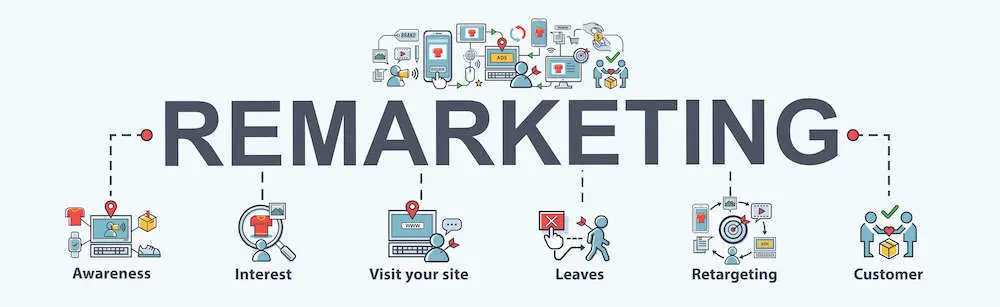
The primary differences between retargeting and remarketing lie in their target audiences, information collection methods, mode of targeting, and contact channels.
Retargeting uses personalized ads to connect with website visitors who left without converting, whereas remarketing is a broad term that covers all the personalized campaigns that target people who’ve interacted with your brand at any level – they could be first-time buyers, repeat customers, qualified leads, or just random prospects.
In essence, therefore, you could say that retargeting is a subcategory of remarketing. It represents only a fraction of the efforts – meaning that not all remarketing campaigns would qualify as retargeting strategies.
Retargeting: A closer look

Retargeting deals with audiences who may not be very familiar with your brand. They’ve been to your website, and now an embedded tracking code – a pixel – has identified them as someone interested in your offerings. The pixel tracks them around the web while keeping tabs on their preferences and interests. All that info is combined and then used to personalize their targeted ads according to personal interests and web behavior.
The resultant retargeting ads are typically distributed through display ad networks such as the Google Display Network and Facebook Audience Network – both of which have an extensive footprint that extends across millions of publisher websites and apps. This is how you get to reach audiences wherever they go on the web.
Most of the individuals that you’ll be engaging with retargeting ads fall within the 96% share of unconverted website visitors. They are part of the bulk majority that are not ready to buy when they check into your website.
Remarketing: A closer look
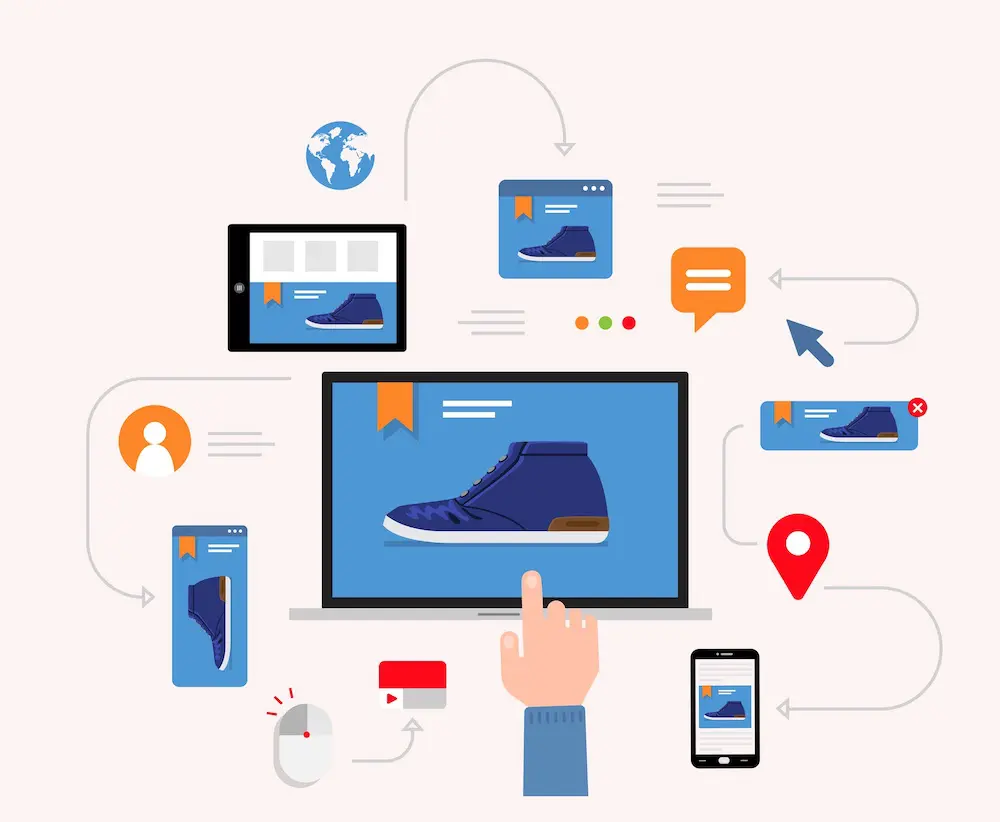
Remarketing, on the other hand, covers the entire spectrum of marketing efforts targeting all types of people who’ve interacted with your brand. It encompasses not just retargeting ads, but also other forms of targeted engagement strategies across various touch points along the customer journey.
The audiences here tend to be more familiar with the brand, as they’ve probably interacted with it multiple times. They range from serial site visitors, mailing list subscribers, past customers, blog subscribers, returning buyers, inactive leads, etc. Remarketing ads try to push all of them through the sales funnel and ultimately generate conversions.
With well-crafted remarketing services, it shouldn’t take you long to generate results. Repeat customers, for instance, have shown that they not only convert quicker, but also spend more as time goes by. In three years, they’ll be forking out 67% more than they did in their first 6 months.
That said, it’s worth noting that email was the traditional delivery channel for all these marketing messages. But, over time, remarketing expanded to accommodate additional options – with the primary ones now being display ad networks, social media, and on-site messaging. Some businesses are even investing in advanced remarketing services that support omni channel campaigns.
The customer information itself is obtained from all the data that your business has built up over time. You’ll be personalizing all the marketing messages using insights from your embedded website trackers, mailing list contact profiles, sales database, etc.
Best Practices for Remarketing Services
How to Optimize Remarketing Campaigns for Success
To achieve and maintain highly successful remarketing campaigns, you should always apply these best practices;
- Segment your audiences: To enhance ad personalization and relevance, segment your audience according to their behavior, interests, and demographics. This allows you to target each group with custom-tailored ads.
- Set clear goals: Clearly outline your campaign objectives and goals. This could be anything, from enhancing conversion rates and elevating brand visibility to growing your inbound traffic.
- Optimize ad creative: Remember to craft captivating advertisements that not only reflect your brand identity, but also resonate deeply with your intended audience. You can experiment with various ad formats, visuals, and messaging to establish the best balance of ad assets.
- Leverage dynamic remarketing: Employ dynamic remarketing to automatically generate customized advertisements that reflect each recipient’s behavior, interests, location, device, and past interactions.
- Regulate ad frequency: Don’t bombard your audience with excessive ads. You should, instead, avoid ad fatigue by regulating the frequency of ad displays
- Test, measure, and optimize: Keep experimenting with various strategies, ad formats, and targeting alternatives to uncover the most effective approach for your remarketing campaigns. And while you’re at it, you should especially monitor your click-through rates (CTR), conversion rates, and the accompanying return on ad spend (ROAS) KPIs.
Conclusion
Remarketing isn’t just a matter of plugging in automated retargeting tools and then letting them run. Successful remarketing campaigns implement a multi-faceted workflow that tracks visitors’ interactions within your website, segments audiences, and then uses the insights to define personalization triggers for your dynamic remarketing campaigns.
But this is easier said than done, of course. You’ll need to keep building, managing, coordinating, and tracking all those campaign parameters while, at the same time, configuring the corresponding automation sequences.
The good news is, you can save yourself all that headache by turning to professional teams like Globe Runner. We have expert strategists, marketers, designers, and copywriters, all of whom will work together to ensure that your retargeting ads are always aligned with your brand and the interests of the target audience.
So advanced are our remarketing services, in fact, that we’ve been recognized as an official Google Partner. This form of certification comes with exclusive access to Google’s tools and info – assets that could go a long way toward empowering your remarketing campaigns.
Contact us today for a quote. We’re ready to supercharge your conversions with our highly advanced remarketing services.
What’s the Difference Between Shopify and WooCommerce?
WooCommerce vs Shopify is a showdown between two popular ecommerce platforms that are so alike yet so different.
On the similarities front, we can agree that both platforms happen to;
- Help SMBs and enterprises set up online stores.
- Provide built-in inventory management, marketing, SEO, payment, and order fulfillment features.
- Come with customizable website themes.
- Support a wide range of extensions.
- Facilitate code-based and non-code website building.
Conversely, the differences between Shopify and WooCommerce are not as general. They only become apparent when you dive deeper and then closely juxtapose the intricacies between WooCommerce vs Shopify architectures.
Now, that’s exactly what we’ll be doing for the next minute or so. You can go ahead and follow along as we explore all those finer features that make Shopify and WooCommerce so different from each other. By the time you’re done, you’ll have made an informed decision and settled for either WooCommerce or Shopify as the best ecommerce platform for your online store.
Main Difference Between WooCommerce vs Shopify
The primary difference between Shopify and WooCommerce lies in their structure. Shopify is an all-in-one, fully-hosted, closed-source ecommerce platform, while WooCommerce is a self-hosted open-source plugin for WordPress-powered online stores.
“All-in-one” here means that Shopify is an end-to-end solution. In addition to ecommerce functionalities, you’ll get a site builder along with web hosting, domain registration, and technical maintenance services.
WooCommerce, on the other hand, is offered as a free WordPress plugin. It’s only after you’ve installed it on the CMS that you’ll have access to its ecommerce functionalities.
Navigating the Features: A Beginner’s Look at WooCommerce vs Shopify Ease of Use
Getting started
To use WooCommerce, you need to purchase a WordPress hosting package from a third-party web host. Then on installing WordPress, you can proceed to set up WooCommerce just like any other WordPress plugin. That’ll transform your CMS framework into an ecommerce platform, complete with store building, inventory management, and payment processing capabilities.
WooCommerce itself is compatible with all the popular WordPress page builders. So, you should be able to visually design an online store using a drag-and-drop editor.
But, that notwithstanding, WooCommerce’s biggest highlight is its open-source architecture. This is what gives WooCommerce developers the privilege to extensively customize the platform’s underlying source code.
The same level of freedom applies even to scaling. You get to expand your store’s capabilities by integrating prebuilt plugins, setting up custom extensions, or upgrading your web server.
Shopify, on the other hand, is not as technical. It is, instead, engineered to make your online business journey easier, more seamless, and less demanding. You’ll, for example, appreciate that the platform takes care of all the essential website services – such as web hosting, domain registration, web security certificates, and so forth.
Even Shopify’s site builder itself is user-friendlier and more intuitive than WordPress page builders. But, you won’t have access to the underlying source code. Shopify developers only get to edit their theme code.
Themes and customization
Speaking of themes, WooCommerce boasts an overwhelming array of prebuilt offerings – 73 free and paid options in the WooCommerce Theme Store, plus tens of thousands more from external marketplaces – and WordPress development specialists.
Shopify too comes with a theme store, which offers a collection of about 100 paid and free website templates. Users can otherwise import more from external marketplaces – but the options are not as many as WooCommerce’s. On the flip side, however, Shopify’s themes are easier to customize, even though the editing options are a bit restrictive.
Plugins and integrations
The two ecommerce platforms are additionally accompanied by a series of prebuilt app integrations. But, just like website templates, the volume of options differs quite significantly between Shopify and WooCommerce.
Shopify’s App Store holds over 8,000 free and paid applications, while WooCommerce is compatible with about 800 extensions from its Woo Marketplace, plus over 60,000 more from the WordPress plugin directory. This, of course, translates to more flexibility for WooCommerce users.
Setting Up Your Online Store: A Side-by-Side Comparison of WooCommerce and Shopify
Inventory management
Both WooCommerce and Shopify have powerful inventory management capabilities. But, while Shopify tries to make the whole process seamless, WooCommerce is designed to offer you unlimited flexibility.
Shopify comes with a very intuitive system for setting up products and services, as well as coordinating subsequent orders and customers. You should be able to add single and bulk records of orders and customers, track stock, automate purchase orders, generate revenue reports, and so forth.
WooCommerce, on the other hand, is perfectly suited for businesses with large inventories. There are no restrictions on the product attributes, categories, and reports that you can create and manage.
Marketing, SEO, and promotions
When it comes to marketing, the WooCommerce vs Shopify battle generates mixed results. WooCommerce is slightly superior in SEO capabilities, but then loses out to Shopify in conversion campaigns and overall simplicity.
That’s not to say Shopify is poor in search engine optimization. Its default platform is optimized nearly as much as WooCommerce’s. Not only does it automatically generate XML sitemaps, but you also get a built-in blogging platform along with basic controls for tweaking on-page SEO settings – including title tags, meta descriptions, URLs, and alt text.
The only problem is, Shopify’s URL structure is rather rigid and not as customizable as WooCommerce’s. At least on the WordPress ecommerce platform, you can alter anything and everything about your on-page SEO attributes.
Shopify, however, makes up for that with built-in email marketing tools. You should be able to send out automated emails to engage leads, recover abandoned carts, retain customers, etc. WooCommerce only offers such capabilities through third-party email marketing plugins.
Payment processing

Whereas WooCommerce vs Shopify match up on the list of payment gateway integrations, Shopify is the only one that comes with a built-in option. Shopify Payments is the name and it processes payments from credit cards and debit cards, as well as digital accounts such as PayPal, Amazon Pay, and Apple Pay.
The only issue is, it only supports sellers from selected regions. And if you otherwise settle for an alternative payment gateway, Shopify will deduct extra fees above the standard transaction charges – unlike WooCommere, which lets you ride on your preferred third-party options without levying ‘penalties’.
Difference Between Shopify and WooCommerce Costs
WooCommerce itself is a free open-source ecommerce platform – but, in the end, it might end up costing you way more than Shopify. The bills here begin with web hosting, after which you might have to hire a WooCommerce developer to customize the entire business ecosystem. WooCommerce themes and plugins will also cost you money, as many of the well-developed ones happen to be premium.
In contrast, Shopify offers a fully-hosted platform under a structured pricing schedule. You could purchase Shopify Basic for $32 a month, Shipify for $92 a month, Shopify Advanced for $399 a month, or Shopify Plus for $2,000+ a month.
Then since Shopify’s website builder is exceedingly easy to use, you won’t need any assistance from a web developer. Extra costs only arise if you choose to purchase a premium theme or app.
Wrapping Up: Which is Better Between WooCommerce and Shopify?
On comparing these differences between WooCommerce and Shopify, it’s safe to say that there’s no obvious winner in the WooCommerce vs Shopify comparison. Your choice between the two should rather be based on your technical skills, business needs, and online store capital.
Solopreneurs and small businesses, for instance, would be better off with Shopify. It’s cheaper in the long run, easier to use, all-rounded, and allows them to set up fully provisioned omnichannel stores without any technical coding skills.
Conversely, WooCommerce is best reserved for enterprises, as its open-source structure is flexible enough to accommodate their highly specialized business needs.
Are you ready for GA4?
Just when we had all gotten comfortable using Universal Analytics, Google Analytics 4 (GA4) was brought in to replace it. The switch itself is happening in three phases:
- It began on October 14, 2020, when GA4 displaced Universal Analytics as the default platform on the Google Analytics website.
- The next milestone will be on July 1, 2023, when the new Google Analytics 4 will permanently cease supporting Universal Analytics properties.
- The sunset for Universal Analytics 360 will then follow a year later on July 1, 2024.
This is no ordinary “system upgrade”, though. Google Analytics 4 is, rather, a complete overhaul of the previous generation of Analytics. It has changed the entire data tracking ecosystem, forcing Universal Analytics users to retrain themselves on leveraging the platform. They now have a ton more data and customization options to work with, which in turn makes the learning curve even steeper.
That has, understandably, elicited mixed reactions from the business community. On the whole, however, the users of Google Analytics 4 are seeing positive results from the renewed digital analytics. Key Performance Indicators (KPIs) from the platform are turning out to be exceedingly transformative to websites and apps.
All that power is yours for the taking, as GA4 itself is completely free of charge. This guide will even provide you with the headstart needed to get it underway. By the time you’re done reading it, you’ll have understood not just the full potential of Google Analytics 4, but also how to set it up on your website or app.
What is Google Analytics 4?

Google Analytics 4, or GA4 in short, is the latest version of Google’s web analytics platform. And while previous generations provided data analytics for websites, GA4 is engineered to track both web and app properties.
The tracking system here is not built on the same technologies as its predecessors. Google Analytics 4, instead, rides on a user-centric ecosystem that follows customers through their entire journey. You get to monitor not just your traffic metrics, but also the corresponding customer usage analytics.
Google has also future-proofed GA4 by aligning its data tracking with the latest privacy laws, including CCPA and GDPR. Third-party cookies and identifiers have been replaced by first-party trackers, which only monitor user behavior and keep the users anonymous. Any arising data gaps are then filled by predictive analytics from sophisticated machine learning and statistical models.
Setting up Google Analytics 4 for Your Website or App

Your GA4 setup options depend on the strategy that you’re currently running on Google’s Analytics platforms.
If, for instance, your properties were added to the Google Analytics platform after October 14, 2020, you don’t need to take any additional steps. You’re already set, as GA4 has been the default solution all along.
The exemption doesn’t extend to any properties configured before that October 2020 D-Day. Universal Analytics was the default option back then, and you can even confirm it for yourself by checking your property’s ID. If the number begins with “UA”, it means the property was built on Universal Analytics and is due for GA4 migration.
In that case, you might want to create a new one on Google Analytics 4 and then link it with your existing Universal Analytics asset. The setup process itself is as follows:
- Go to analytics.google.com and log into your Google account.
- Once you’ve landed on the dashboard, proceed to the left navigation panel and click on Admin. This will take you to your admin settings.
- Under the Admin tab, you’ll see two sections – Account and Property. Go to the Property section and hit the Create Property button positioned at the top.
- Google will subsequently display a series of property setup prompts, which you should follow to add a new property to the account.
- After the property has been added, GA4 will list it in the Property column of the Admin Settings page. You can then click on the Setup Assistant to launch the setup wizard.
- It’s on that Setup Assistant wizard where you get to connect your new Google Analytics 4 deployment with your website or app. The button at the top links your GA4 property with its pre-existing Universal Analytics equivalent, the Data Collection subsection configures Google Analytics 4 into your website, while Property Settings offers controls for defining audience segments and KPIs.
Understanding Key Features of Google Analytics 4

Google Analytics 4 is essentially a blend of privacy-centric tracking, cross-channel data metrics, and AI-driven predictive analytics. This is what ultimately generates in-depth insights into your customers’ journeys – from the moment they land on your website, through all their touchpoints, to the actions they might take in the future.
Universal Analytics had some pretty decent analytics too. But, it only offered generalized traffic data, with page views being the primary Key Performance Indicator (KPI). Google Analytics 4, on the other hand, goes beyond the page views to highlight individual audience interactions. You should be able to generate reports on engagement time, engagement rate, engagement sessions, etc.
Another thing that GA4 saves you is the trouble of piecing together measurements from Google Analytics for Firebase, Firebase Analytics, and Google Analytics for Apps. You no longer have to combine different data analytics tools to monitor multiple devices. Everything is now available on one centralized interface, courtesy of GA4’s cross-device tracking.
What it logs as user behavior is progressively fed into its underlying machine-learning engine, which then uses artificial intelligence and statistical models to make predictions about future events. It’s from these reports that you get to find out your revenue forecast, churn probability, purchase probability, etc.
As for the properties, Google Analytics 4 is flexible enough to accommodate both apps and web-based assets. You can set it to track up to 2,000 properties at once. The limit on the number of source properties is 50, each of which can be broken down into 400 sub-properties.
Using Google Analytics 4 for Website & App Tracking
GA4 is your go-to all-in-one digital analytics solution when you need to quantify user interactions on your website or app. It can track both website and app properties separately or as continuous experiences. Then from the analytics, you should be able to figure out not just the traffic volume streaming in, but also how users are engaging with your websites and apps.
All the interactions are measured as events. And they could be any type of user activity – from opening a web page, opting into a mailing list, or completing a purchase, to watching an in-app ad, running an app feature, or opening app messages.
You could also use Google Analytics 4 to track events executed by the website or app. This is where you measure occurrences like app crashes, form displays, page redirects, etc.
Overall, you’ll be tracking four types of events on your GA4 account:
- Automatically collected events: These are the events that are measured by default when you add your website or app property to Google Analytics 4. Examples include app updates, in-app purchases, app sessions, and page visits.
- Enhanced measurement events: These are the events that are tracked when you proceed to enable the enhanced measurement option. They include form interactions, file downloads, video engagement, site search, outbound clicks, page scrolls, and page views.
- Recommended events: While the previous two categories are default options, recommended events are set up manually from a list of predefined references.
- Custom events: Custom events are configured entirely from scratch. But, you’ll need custom coding skills to proceed.
Google Analytics 4 further allows you to mark specific events as conversions. And they don’t have to be sales instances – any important occurrence to your business should do.
Each user’s interactions are eventually linked to form a continuous user experience funnel. You’ll be able to view all the touchpoints and engagements that individual buyers sailed through before converting. This includes the actions taken on both your website and app properties.
To understand the users even better, you might want to separate them into segments. GA4 facilitates this by allowing you to define the audience conditions for each segment. You could, for instance, have a segment for users who’ve only interacted with your app, another one for PC-based visitors, plus maybe separate categories for first-time and returning customers.
Using Google Analytics 4 for Online Marketing

Now that third-party cookies are practically dead, Google Analytics 4 couldn’t have come at a better time. Cookie rejection rates have already reached 64% and still rising, yet marketers need them more than ever to cater to the growing demand for personalized experiences.
GA4 has found a way around the problem, allowing marketers to track audiences without violating any data privacy laws. Instead of identifying users by their IP addresses, the platform uses privacy-centric approaches such as IP anonymization. ID values here are in the form of randomly generated strings that are linked to users’ browsers and devices.
Otherwise, when the user ID is unavailable, the system relies on user info from Google signals. And in the rare occasions that the two identifiers are both missing, Google Analytics 4 turns to AI-driven statistical modeling. It basically uses machine learning to predict the attributes of an unidentified user based on the behaviors of similar users.
The predictive analytics go on to enrich the user data you’ve been collecting from events, and the result is usually accurately-segmented audiences. This is what you ultimately leverage in your targeted digital marketing campaigns.
If, for instance, you integrate Google Analytics 4 with Google Ads, you’ll find your custom segments imported automatically to the Audience Manager section of Google Ads. You could then proceed to target the different groups of users with well-personalized paid ads.
Conclusion
Google Analytics 4 can be said to be a more streamlined, future-proof version of Universal Analytics. You could even argue that the name “universal analytics” suits it better than its predecessor, as it offers an all-round view of customers’ journeys. Plus, Google has integrated multiple analytics assets to form a centralized dashboard for tracking both websites and apps.
The tracking system itself is adapting very well to a cookie-free future – with the help of IP anonymization approaches, AI-driven predictive analytics, calculated statistical models, and privacy-centric identifiers. All these resources are always active across omnichannel touchpoints, thereby mapping out your customer’s paths in real-time.
On the flip side, however, we’ll agree that all this power comes with a pretty steep learning curve. Setting up properties is the easiest bit. And after that comes the burden of coding custom events, defining audience segments, plus customizing multiple report attributes. All this is meant to culminate in meaningful insights, which you should then use to strategically optimize your web marketing campaigns.
Not the type of stuff a business executive would have time for. And that’s where we come in. Globe Runner is the digital marketing agency that’ll not only create and manage your Google Analytics 4 portfolio, but also transform the analytics into high-precision targeted campaigns.
Contact us today to find out more about the future of data-driven personalization.
- « Previous Page
- 1
- 2
- 3
- 4
- 5
- 6
- …
- 45
- Next Page »